Content Generation
Generate product and collection descriptions inside Shopify admin. Review the output, then apply it when you’re happy.
What this feature is
Content generation is a Shopify Admin UI extension. It runs in your Shopify admin and writes the content back to the product/collection using Shopify’s APIs. This is separate from Guided Fixes (v1), which are manual instructions.
Where to find it
- Open Shopify admin
- Go to Products (or Collections)
- Open an item
- Use the Zolvio content generator action in the page actions menu
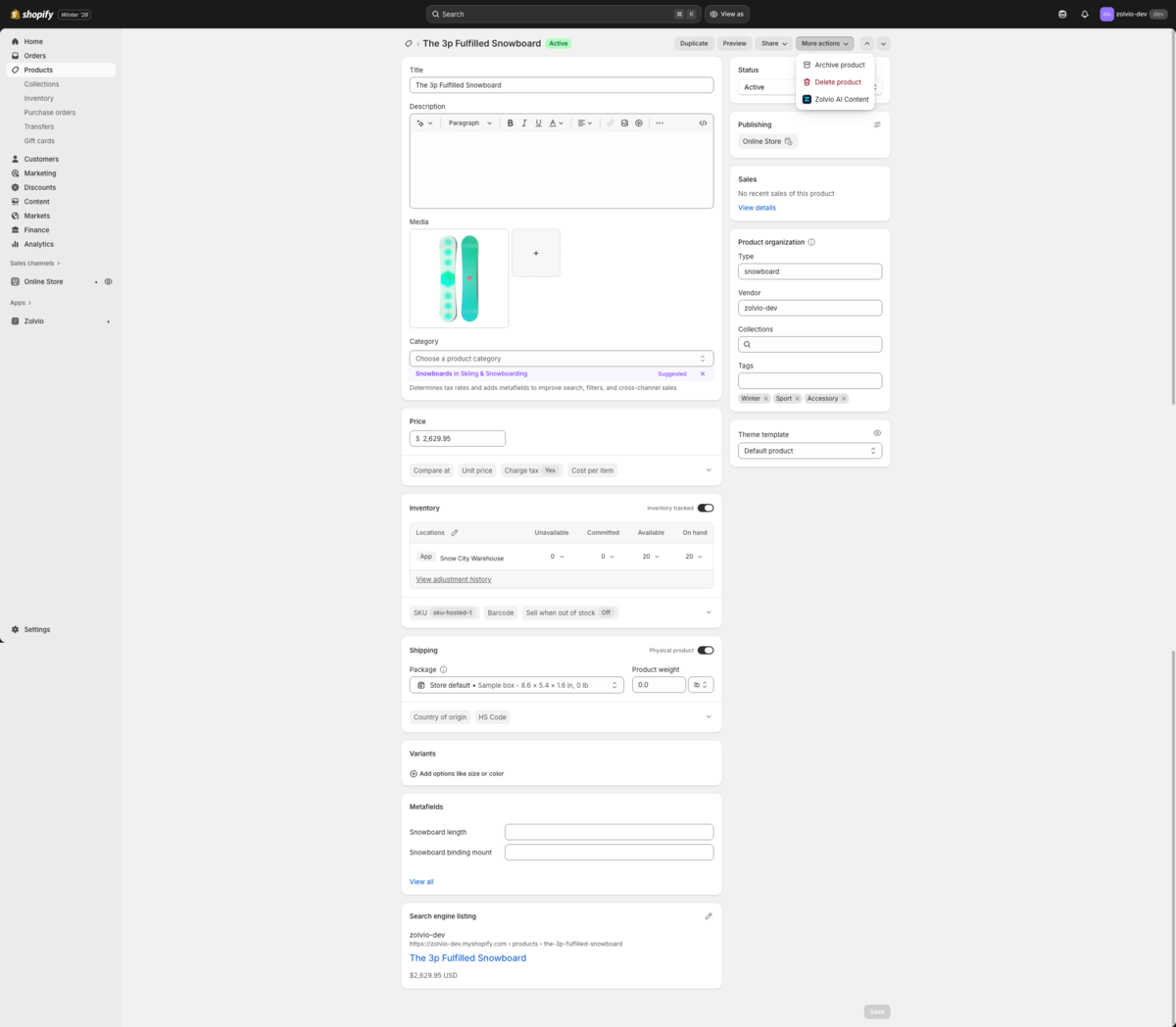
Screenshot placeholder
1200×700px •
/docs-images/content-generation/product-action-entry-1200x700.pngAdd a file at this path to replace the placeholder.
Generate a product description
- Open a product in Shopify admin
- Click Generate
- Review the generated HTML description and (optional) SEO meta description
- Click Apply to update the product
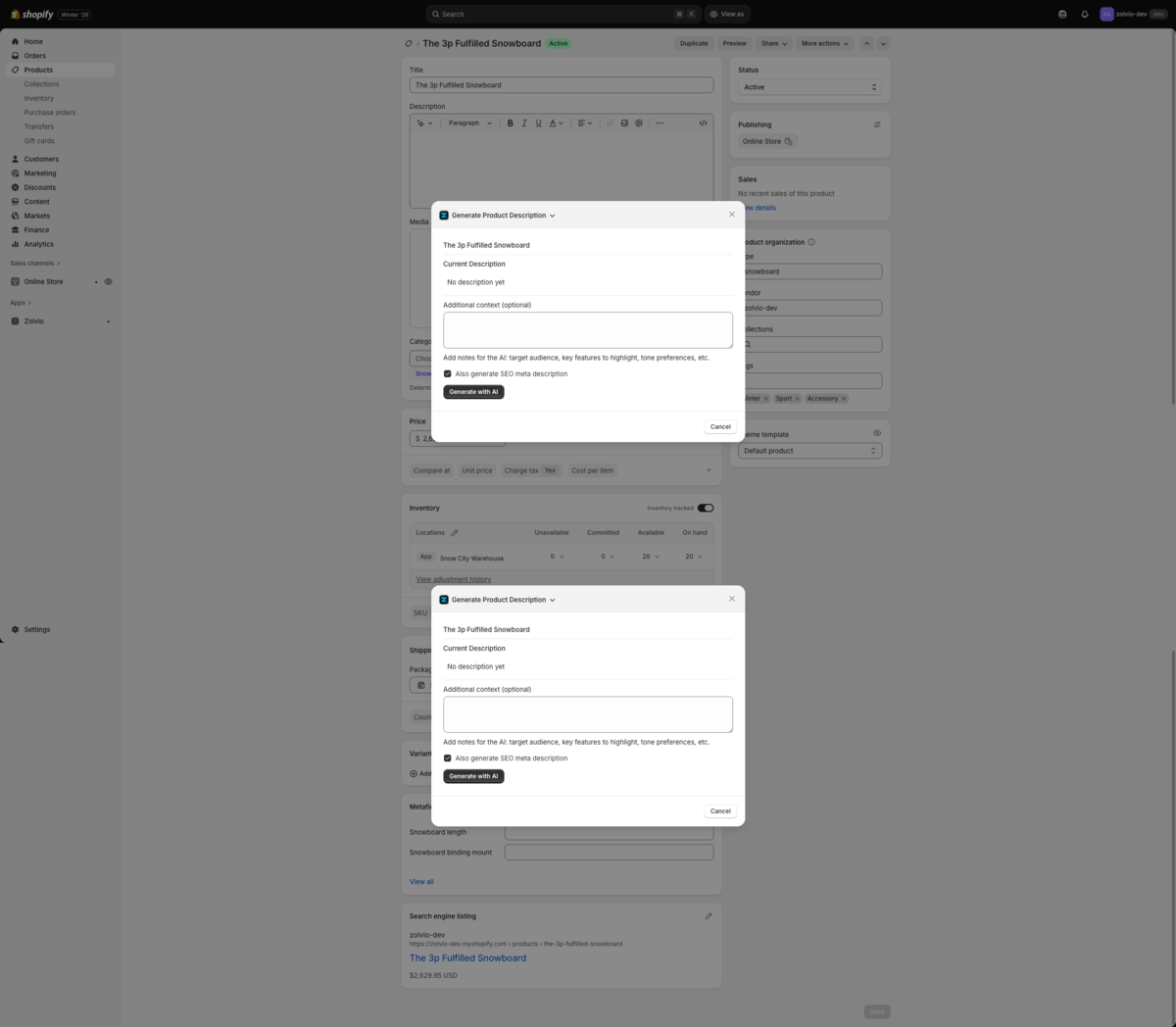
Screenshot placeholder
1200×720px •
/docs-images/content-generation/product-generate-preview-1200x720.pngAdd a file at this path to replace the placeholder.
Generate a collection description
- Open a collection in Shopify admin
- Click Generate
- Review the output
- Click Apply to update the collection
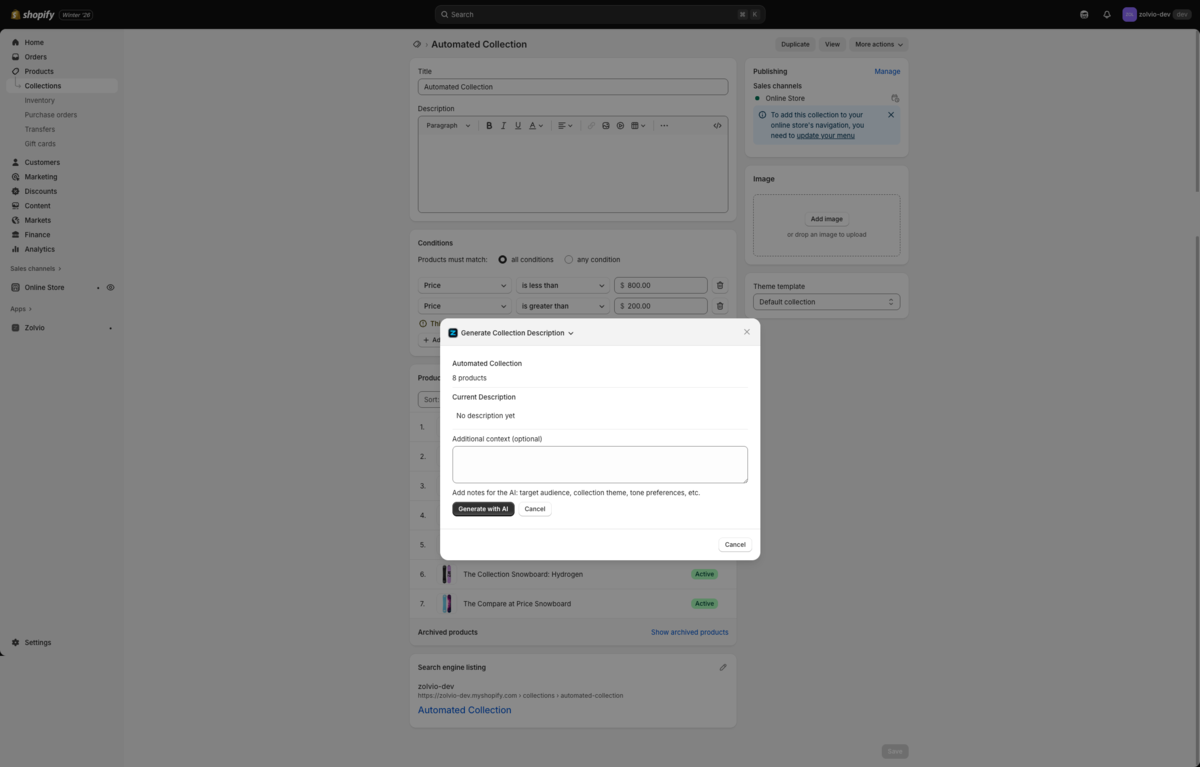
Screenshot placeholder
1200×720px •
/docs-images/content-generation/collection-generate-preview-1200x720.pngAdd a file at this path to replace the placeholder.
What the AI uses (inputs)
- Product/collection title, type, vendor, and tags
- Variant titles (when meaningful)
- Your existing description (so the AI can improve instead of overwrite blindly)
- Optional “extra context” you type (e.g. tone, benefits to emphasize)
Privacy note
Avoid pasting customer PII (emails, phone numbers, order details) into the “extra context” field. Zolvio applies redaction safeguards, but you control what you input.
Limits and quotas
Content generation is an AI feature and is limited by your plan. If you hit a limit, you’ll see an in-app message with the reason.
- See AI Usage & Controls for daily limits and the AI kill switch.
- See Billing & Plans for plan-level quotas and retention.