Documentation
Learn how to use Zolvio to optimize your Shopify store conversions.
Getting Started
Install Zolvio, turn on the app embeds and AI, and run your first audit.
Password-Protected Stores
Save your storefront password so audits and page screenshots can reach a protected or dev store.
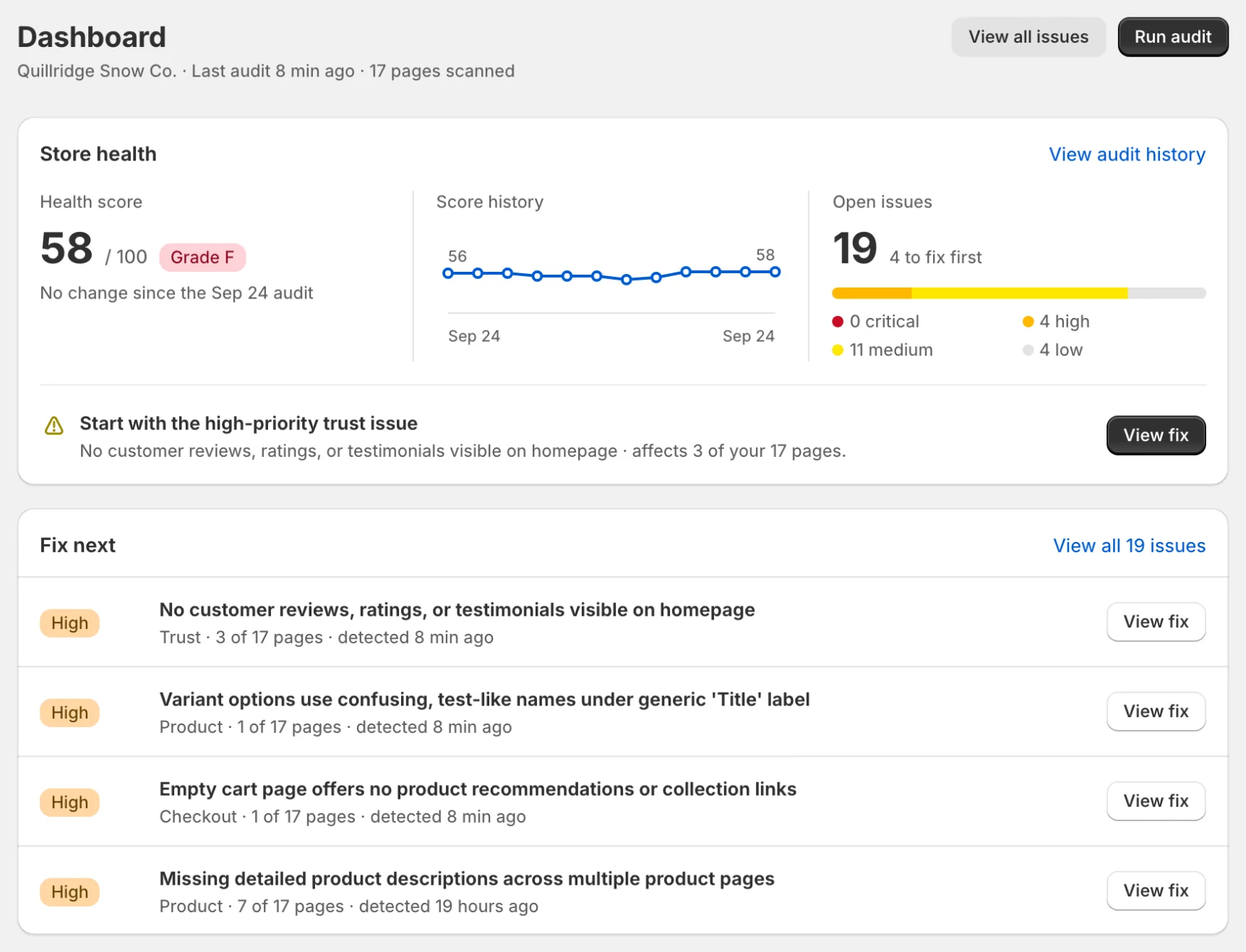
Dashboard
Understand what’s broken, whether data is flowing, and what to do next.
Workflows
High-leverage playbooks: audit → proof → guided fix → measure.
Session Recordings
Watch real shopper sessions. Typing and checkout are never recorded.
Heatmaps
See which elements shoppers click, where rage and dead clicks happen, and how far they scroll.
A/B Testing
Test variations of your pages and find what converts best.
Audits
Scan your store in one click: 50 built-in checks, plus AI screenshot review on paid plans.
Issues & Fixes
Turn audit findings into a prioritized action list with evidence and guided fix steps.
Guided Fixes
Step-by-step instructions and the exact code to paste. Zolvio never edits your theme.
Content Generation
Write product and collection descriptions from your store data (paid plans).
AI Usage & Controls
What Zolvio’s AI agent does, how AI credits work, and how to pause AI for your store.
Surveys
Ask shoppers short questions on your store or after checkout, style the survey to match your store, and group answers into themes.
Privacy & Compliance
Practical guidance for consent, policies, and safe data collection.
Billing & Plans
Understand plan limits, quotas, and how to upgrade.