Surveys
Collect voice-of-customer feedback with targeted micro-surveys and connect responses to behavior.
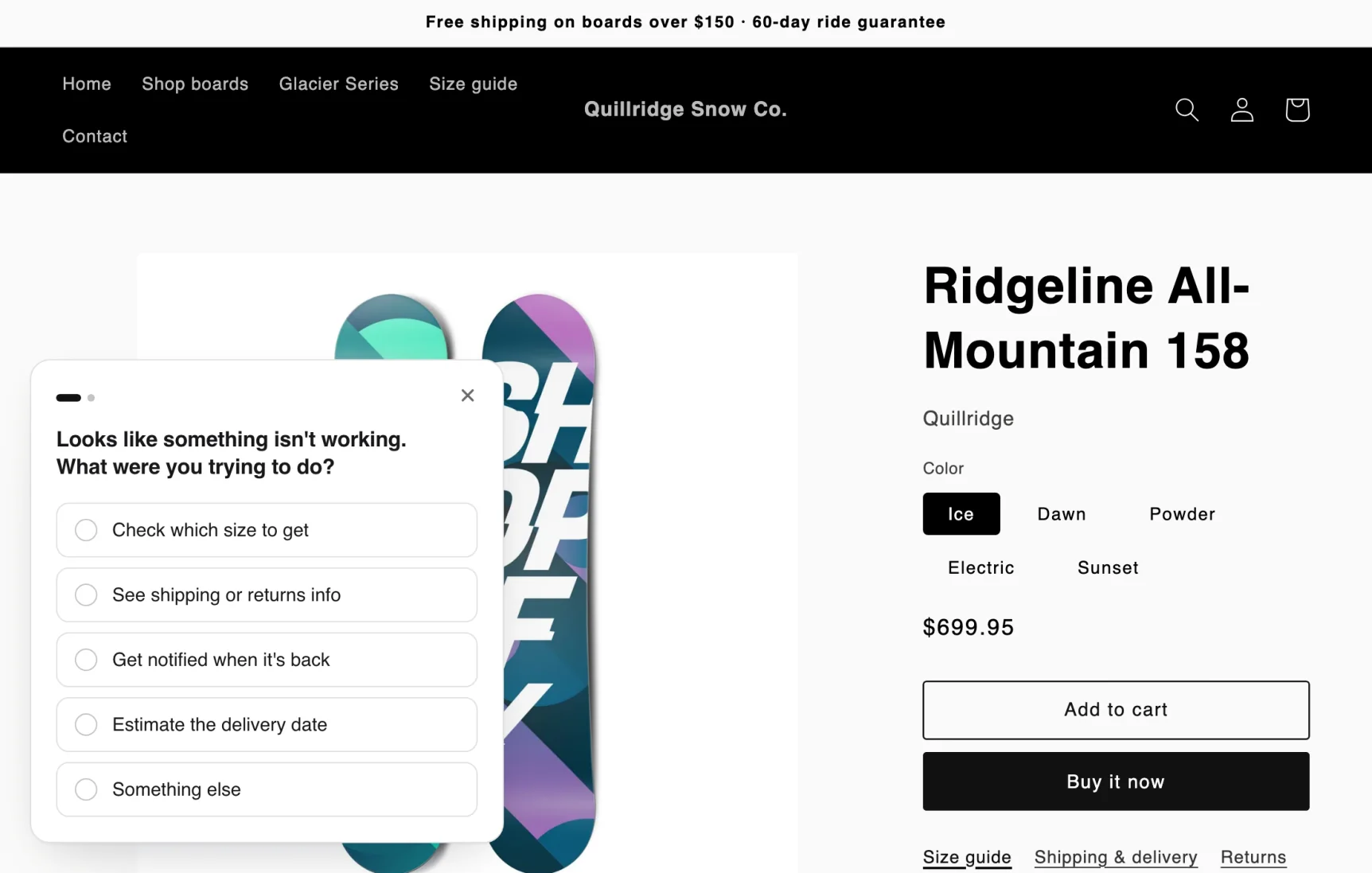
What Micro-Surveys Help You Answer
- Why visitors leave without buying
- What information is missing on product/collection pages
- What objections are preventing add-to-cart or checkout
- Which messaging resonates by device and traffic source
Setup
- Turn on the Zolvio Surveys app embed: Settings → App embeds → Open theme editor, then turn it on under App embeds and click Save. Surveys on your store’s pages need it; post-purchase surveys don’t
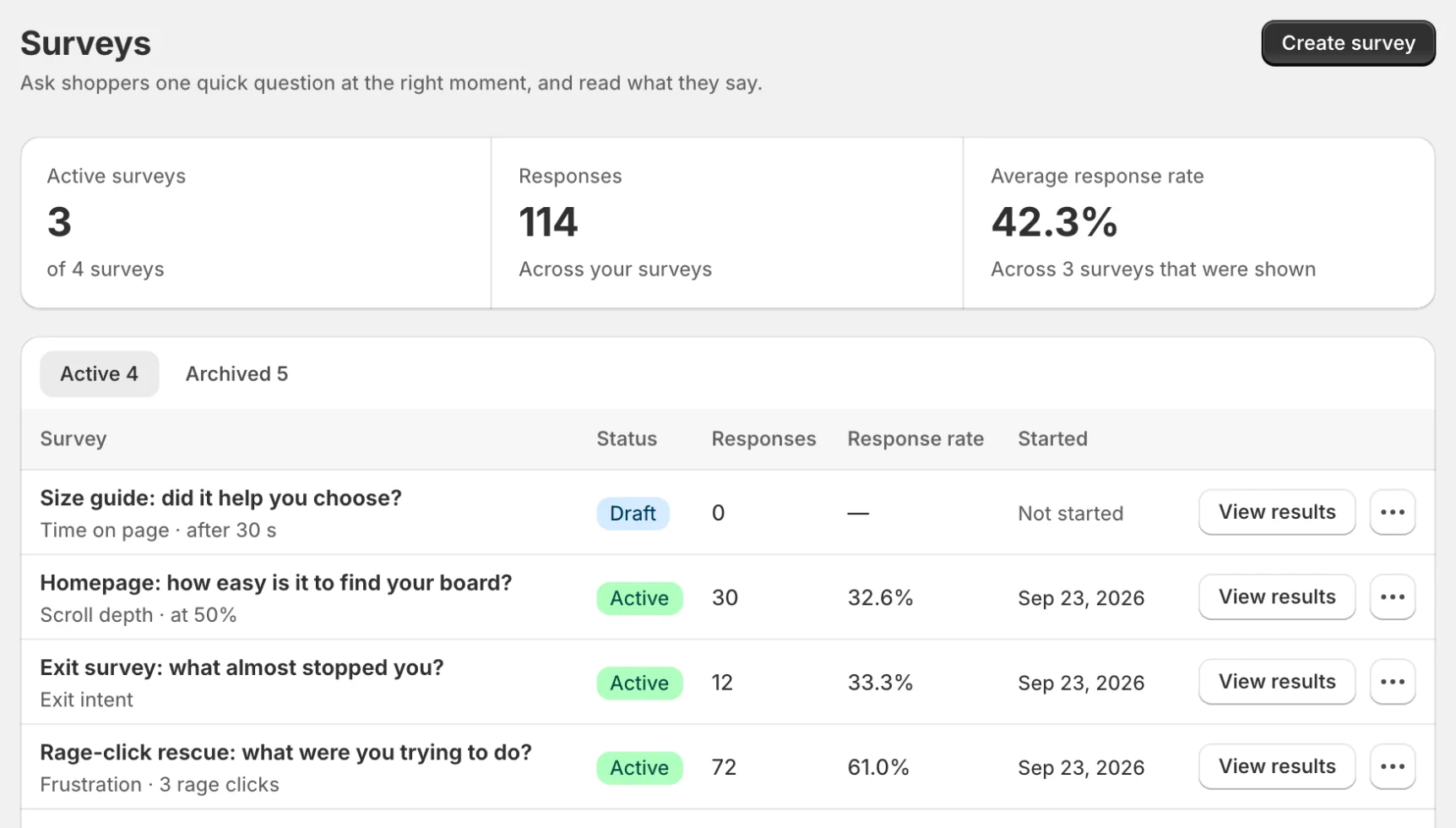
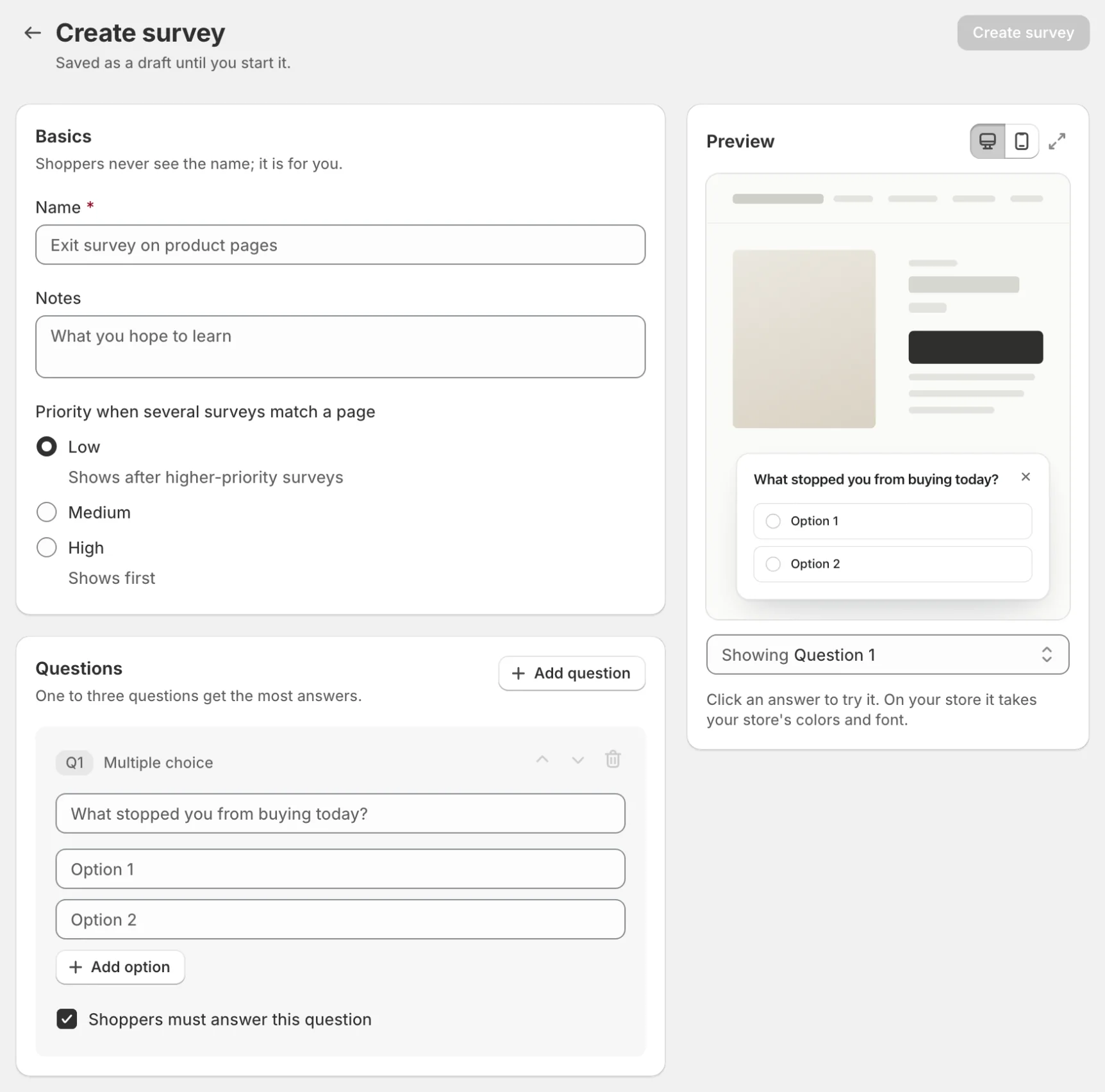
- Go to Surveys in the Zolvio sidebar and click Create survey
- Basics: name the survey (shoppers never see the name)
- Questions: write one to three questions
- When it shows: choose the trigger
- Who sees it: pick pages, devices and visitors
- Design: choose how the survey looks; the preview beside the form shows each change
- Save it, then click Start survey on the survey page
Post-purchase surveys (Thank you and Order status pages)
- Click Create survey and choose the Post-purchase placement. The “How did you hear about us?” template includes an Other, please specify answer and an optional follow-up question (for example “Which podcast?”)
- Start the survey
- In Shopify admin, open Settings → Checkout → Customize, switch to the Thank you page, add the Zolvio Post-purchase Survey block and save; do the same on the Order status page
Post-purchase surveys work on every Shopify plan. Each order and each shopper answers a survey once, and responses are unlimited on paid plans. No theme app embed, trigger or design settings are needed: the block uses your checkout’s own style.
Privacy & consent
Design
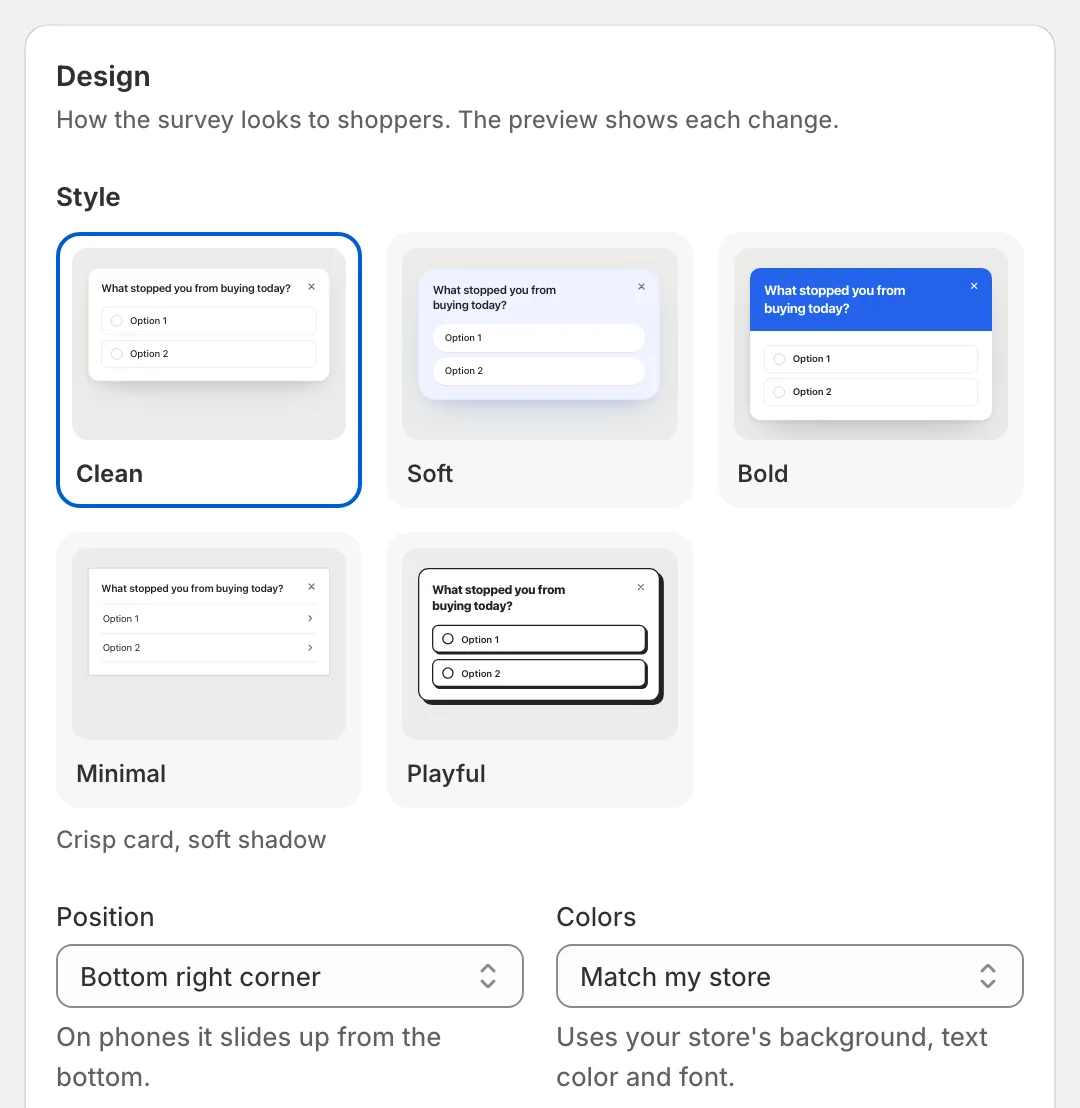
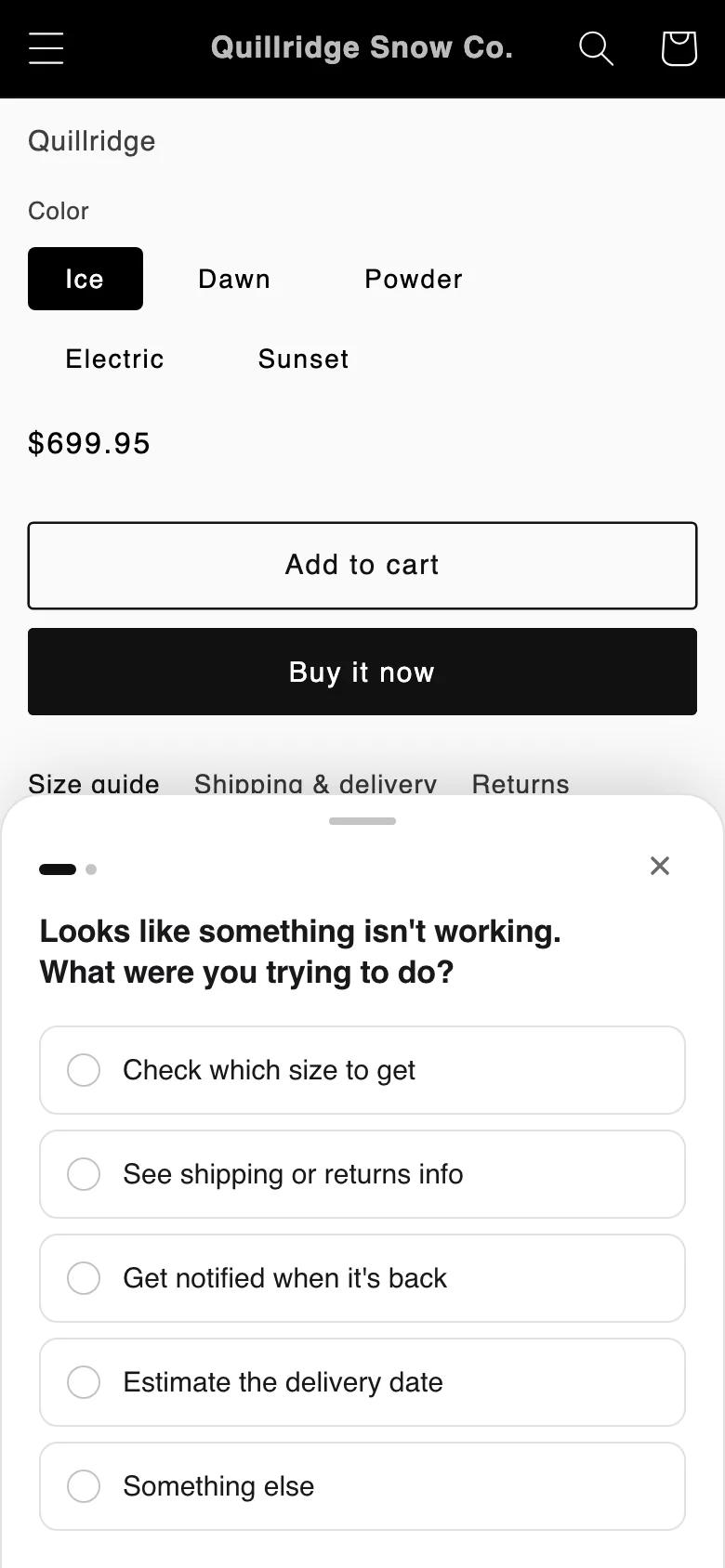
The Design card sets how the survey looks to shoppers, with a live preview beside the form:
- Style: five looks — Clean, Soft, Bold, Minimal and Playful
- Position: bottom right corner, bottom left corner, a pop-up in the center, or a bar along the bottom
- Colors: match your store, light, dark, or custom background and text colors, plus an accent color
- Corners: square, rounded or pill
- Thank-you message: what shoppers see after they answer
Switch the preview between desktop and phone, and step through each question and the thank-you message before you start the survey.
Targeting
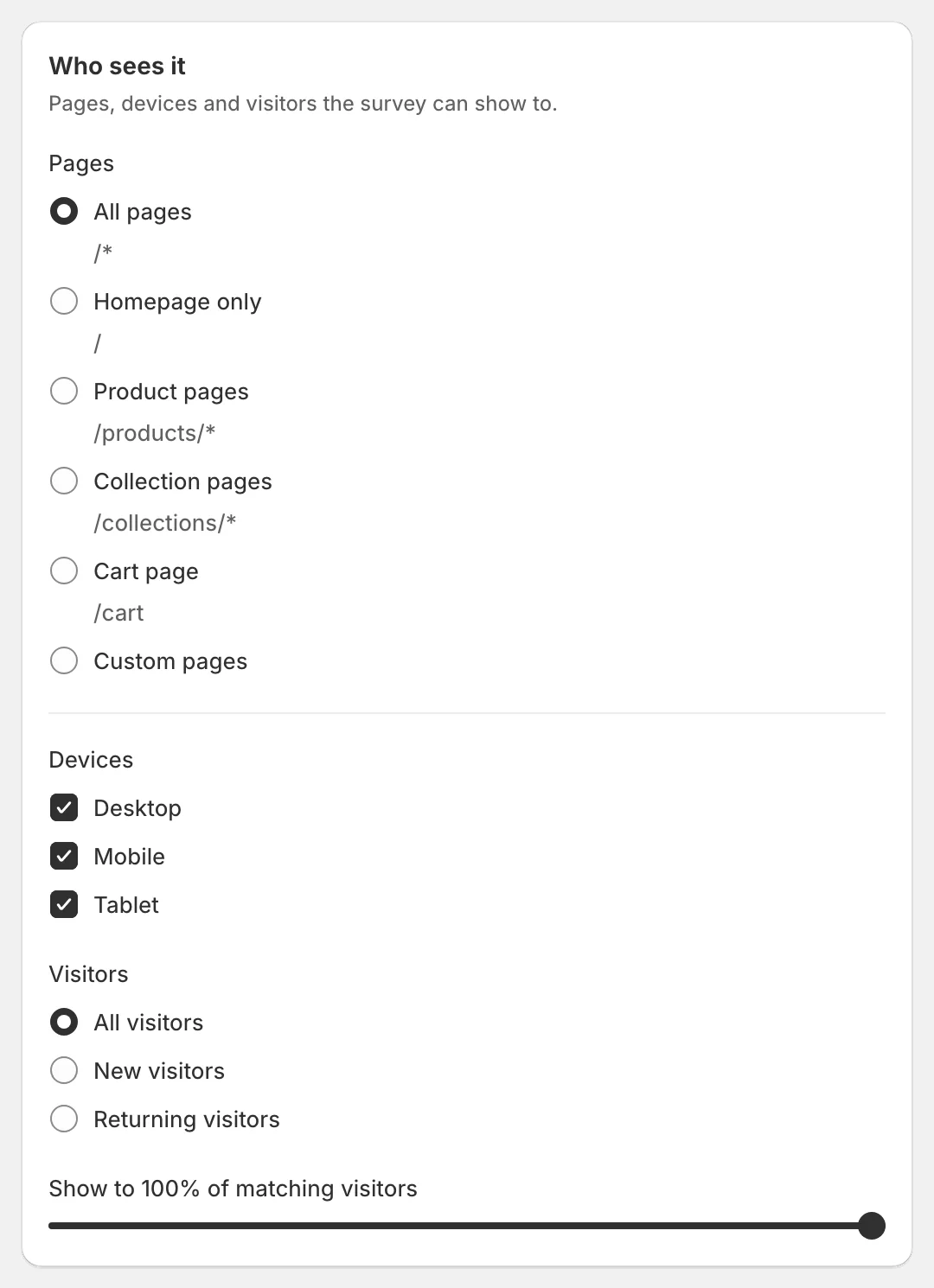
Target surveys so they feel helpful (not spammy):
- Page: show on specific pages or templates (for example: product pages)
- Visitor type: new vs returning
- Device: desktop vs mobile
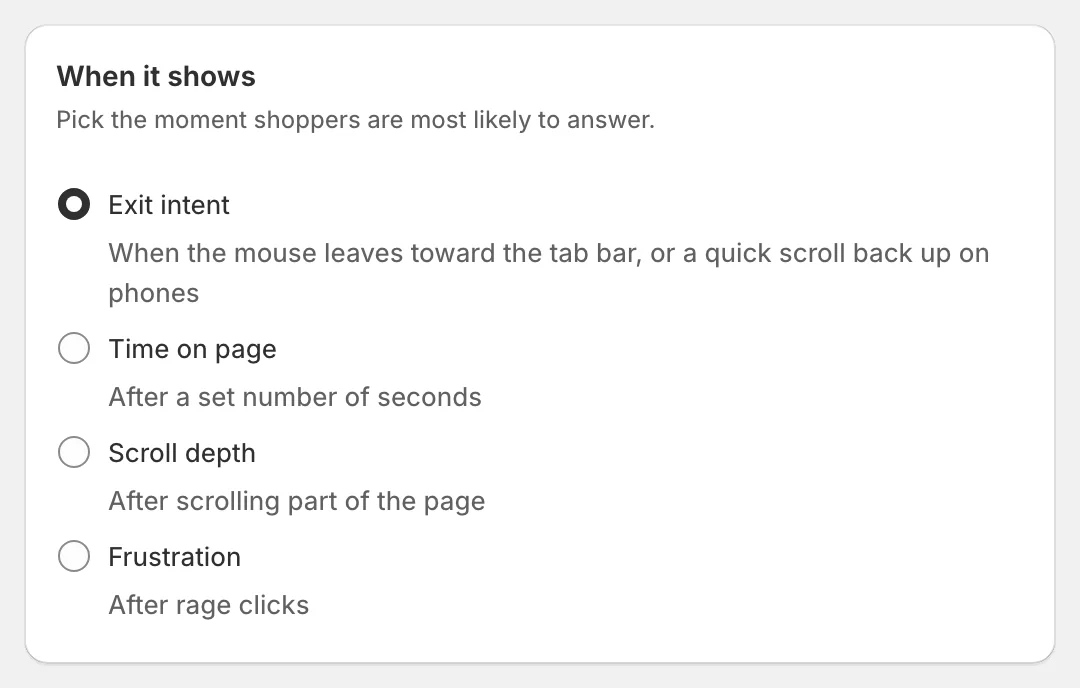
- Behavior: exit intent, time on page, scroll depth, or frustration (after rage clicks)
Theme Clustering (AI)
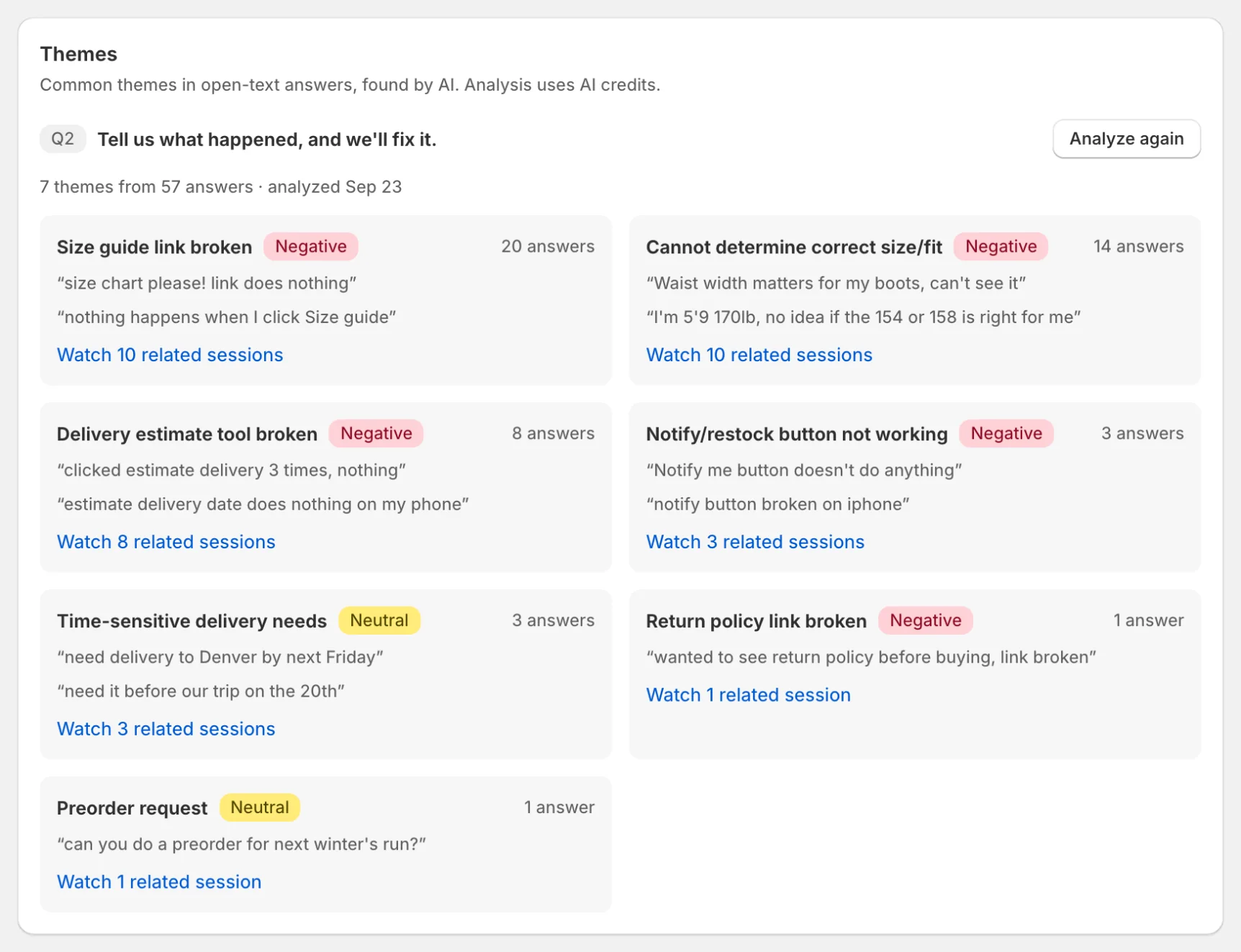
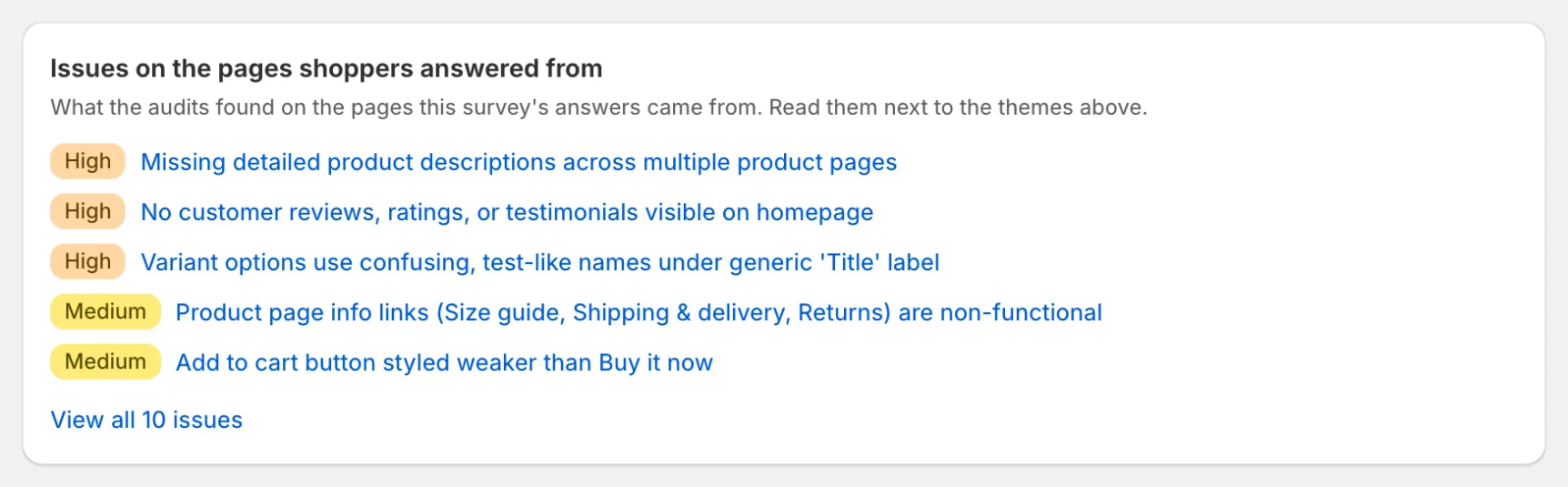
For open-text questions, Zolvio can cluster responses into themes (for example: “shipping cost too high”, “not enough reviews”). This makes qualitative feedback actionable.
- Click Find themes on the Themes card of a survey with an open-text question
- Shows top themes with counts and example quotes
- Respects AI limits and caps (see AI Usage & Controls)
Connect Surveys to Recordings
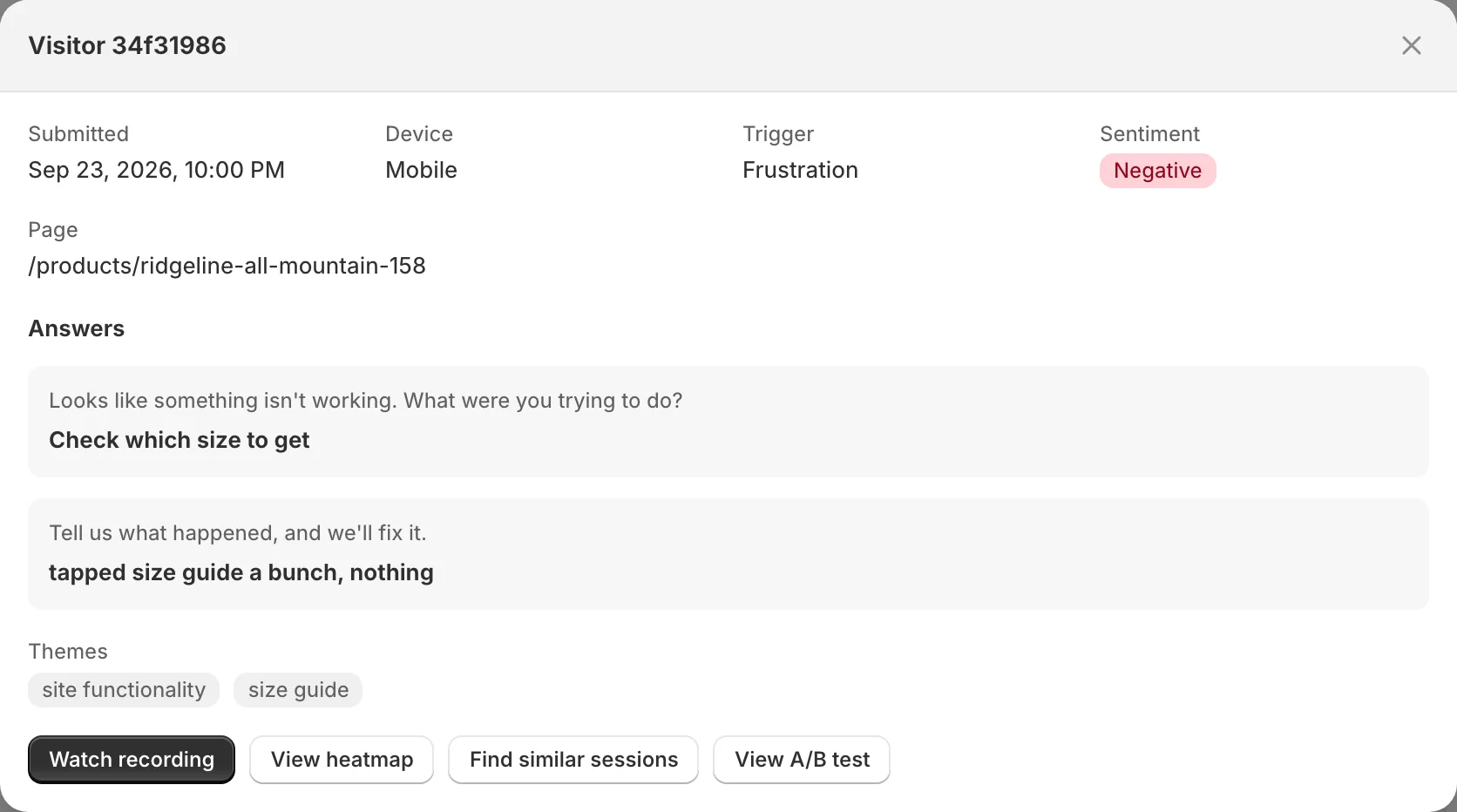
When a response is linked to a session, click View on the response and then Watch recording to see the exact context behind the answer. This is especially useful for cart and product page objections.
If recordings are disabled, sampled out, or blocked by consent, some responses won’t have a session link. That’s normal. Post-purchase answers, on the Thank you and the Order status page, link to the shopper’s recordings whenever the shopper was recorded.
Reading Results
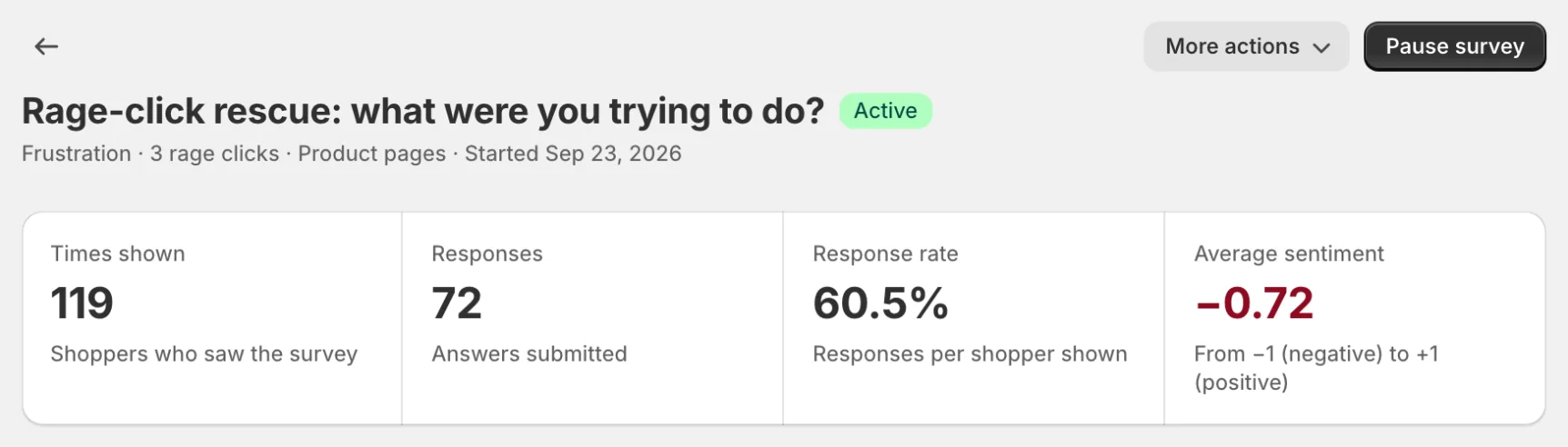
- Times shown, Responses and Response rate at the top of the survey page (plus average sentiment for open-text questions)
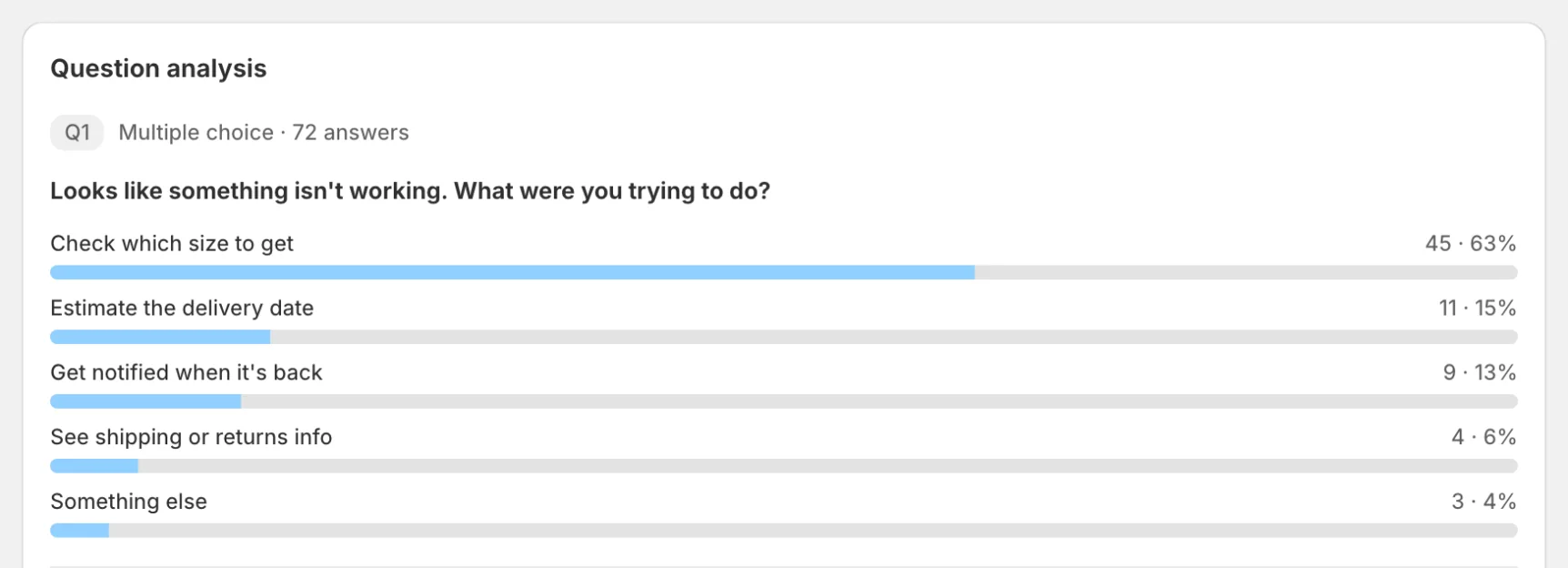
- Question analysis: answer breakdown for multiple-choice and rating questions
- The Responses table, with View on each response
- Export CSV from the More actions menu for further analysis
- Revenue by answer (post-purchase surveys): for each answer, orders, revenue, average order value, and first-time vs repeat customers over the last 30 days, 90 days or all time, with its own CSV export. Revenue is the order’s merchandise subtotal, without shipping or tax
Survey Limits
- Free: Not available
- Starter: 2 active surveys, unlimited responses (one per shopper per survey)
- Growth: 5 active surveys, unlimited responses (one per shopper per survey)
- Pro: Unlimited surveys, unlimited responses (one per shopper per survey)
Best Practices
- Ask one question at a time; keep it short
- Use a cooldown so visitors don’t see the survey repeatedly
- Use exit intent for cart abandonment objections
- Rotate questions by page template
Great starter question