Surveys
Collect voice-of-customer feedback with targeted micro-surveys and connect responses to behavior.
Screenshot placeholder
1200×720px •
/docs-images/surveys/survey-builder-1200x720.pngAdd a file at this path to replace the placeholder.
What Micro-Surveys Help You Answer
- Why visitors leave without buying
- What information is missing on product/collection pages
- What objections are preventing add-to-cart or checkout
- Which messaging resonates by device and traffic source
Setup
- Enable surveys in your theme app embed (Theme Editor)
- Go to Surveys in the Zolvio sidebar
- Click Create Survey
- Write your question(s)
- Choose when to show the survey
- Target pages and visitor segments
- Activate the survey
Privacy & consent
Surveys are subject to your privacy settings and consent rules. Avoid collecting personal data in open-text questions. See Privacy & Compliance.
Targeting
Target surveys so they feel helpful (not spammy):
- Page: show on specific pages or templates (for example: product pages)
- Visitor type: new vs returning
- Device: desktop vs mobile
- Behavior: exit intent, time on page, scroll depth
Screenshot placeholder
1200×650px •
/docs-images/surveys/survey-targeting-1200x650.pngAdd a file at this path to replace the placeholder.
Theme Clustering (AI)
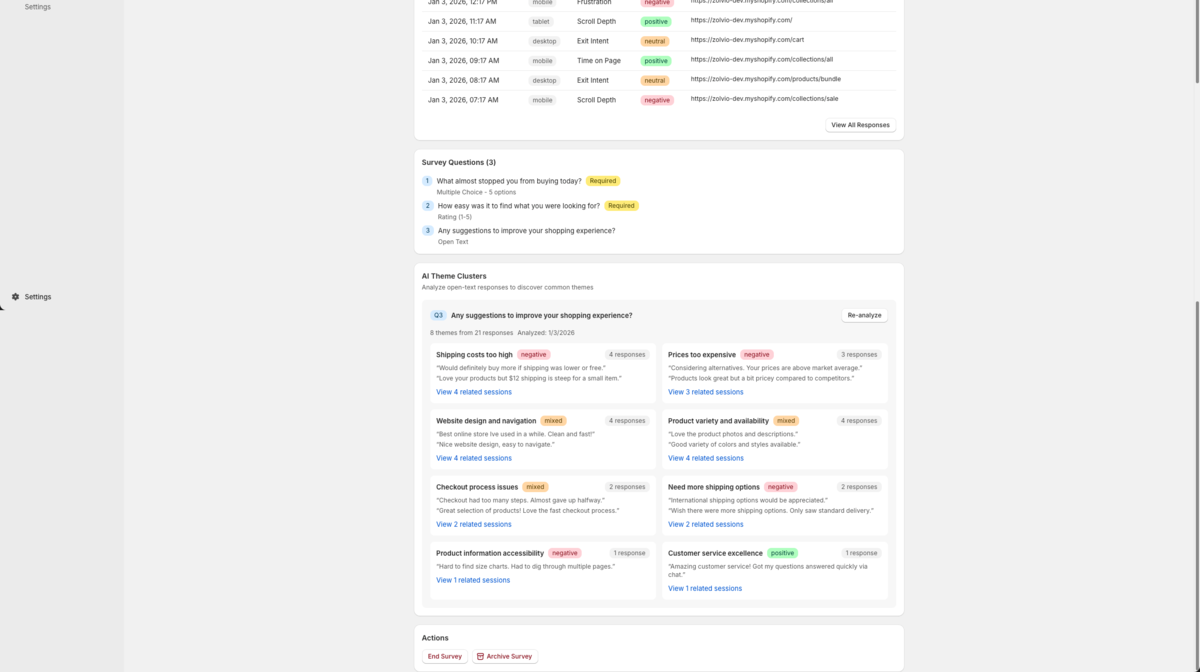
For open-text questions, Zolvio can cluster responses into themes (for example: “shipping cost too high”, “not enough reviews”). This makes qualitative feedback actionable.
- Shows top themes with counts and example quotes
- Lets you jump from a theme to relevant sessions (when linked)
- Respects AI limits and caps (see AI Usage & Controls)
Screenshot placeholder
1200×650px •
/docs-images/surveys/theme-clusters-1200x650.pngAdd a file at this path to replace the placeholder.
Connect Surveys to Recordings
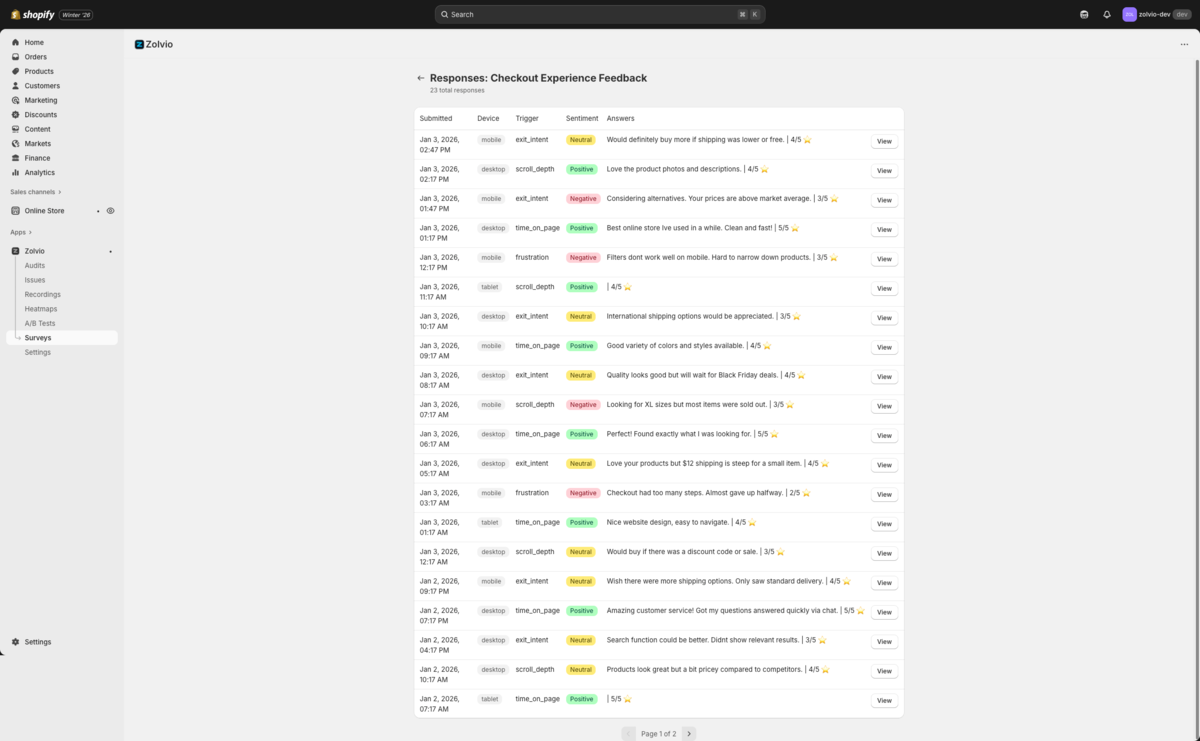
When a response is linked to a session, you can watch the recording to see the exact context behind the answer. This is especially useful for cart and product page objections.
If recordings are disabled, sampled out, or blocked by consent, some responses won’t have a session link. That’s normal.
Screenshot placeholder
1200×650px •
/docs-images/surveys/response-to-recording-1200x650.pngAdd a file at this path to replace the placeholder.
Reading Results
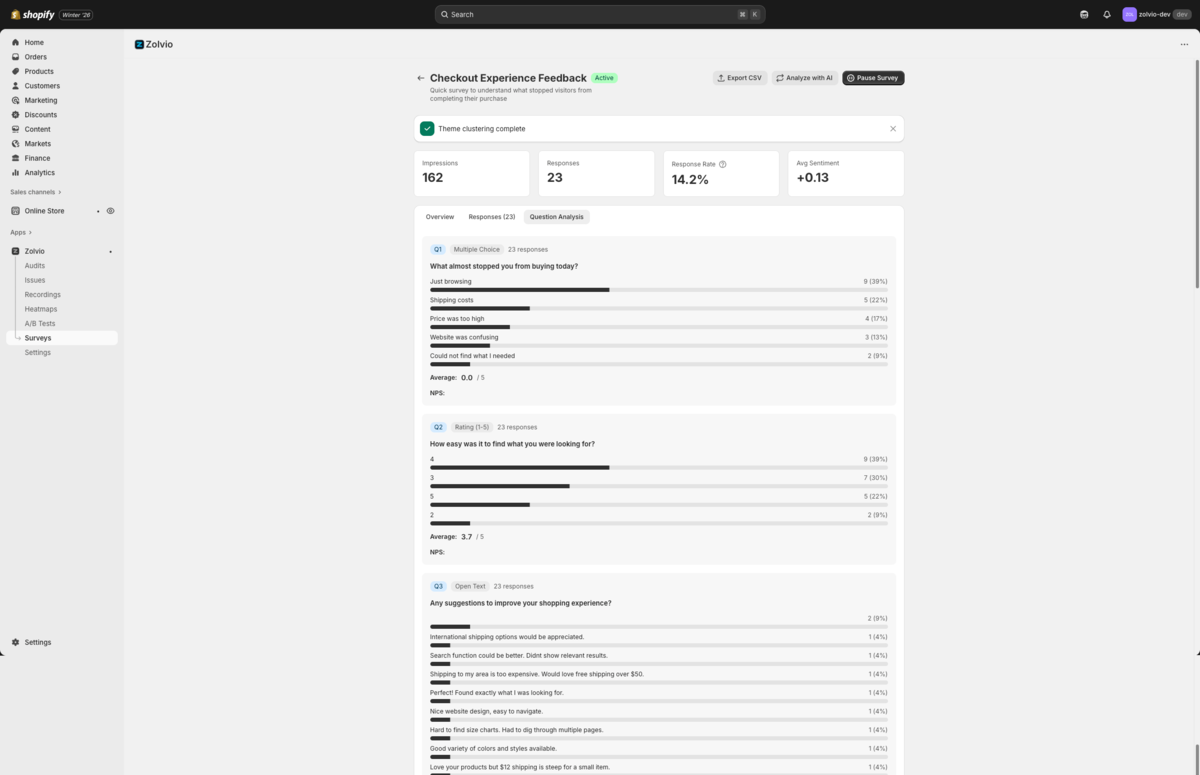
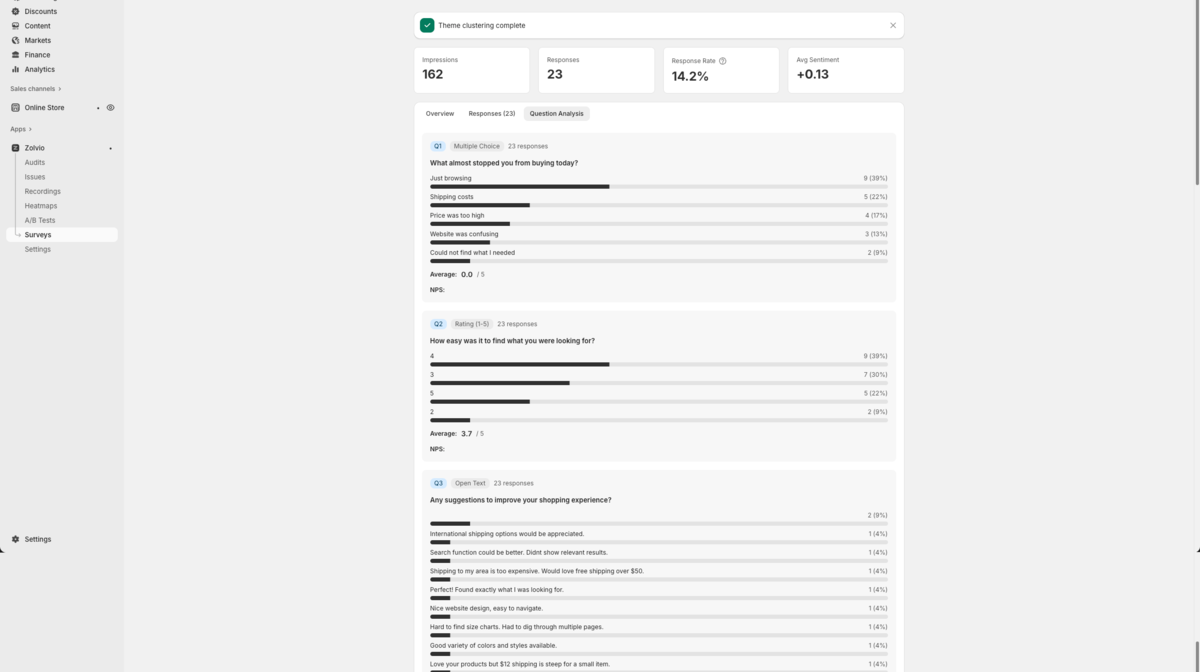
- Impressions and response rate
- Answer breakdown (for multiple-choice / rating)
- Trends over time
- Export (CSV) for further analysis
Survey Limits
- Free: Not available
- Starter: Limited active surveys
- Growth: More active surveys
- Pro: Unlimited surveys
Best Practices
- Ask one question at a time; keep it short
- Use a cooldown so visitors don’t see the survey repeatedly
- Use exit intent for cart abandonment objections
- Rotate questions by page template
Great starter question
Start with: “What almost stopped you from buying today?” on high-traffic product pages or the cart page.