AI Usage & Controls
Zolvio uses AI to turn raw signals into actionable outputs: audit insights, guided fix steps, A/B test narratives, survey theme clustering, heatmap insights, and content generation. This page explains what consumes AI, how limits work, and how to stay in control.
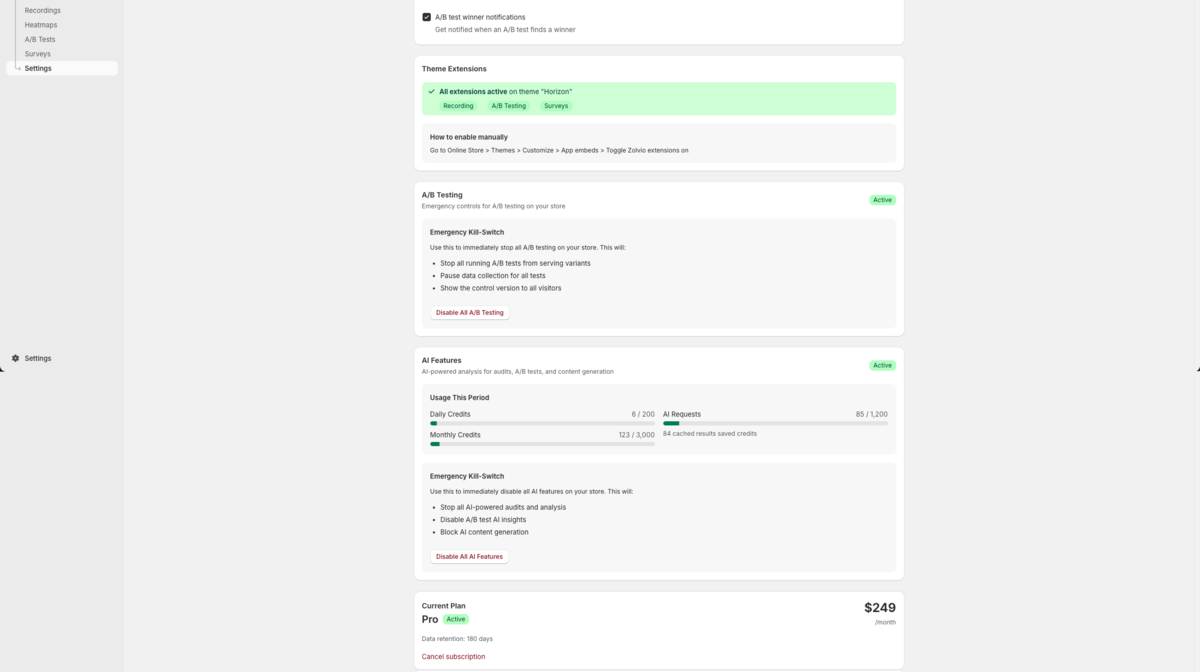
/docs-images/ai/ai-usage-settings-1200x650.pngWhere AI Is Used
Depending on your plan and what you trigger, AI can power the following:
- Audits: enrich detections with clearer explanations and evidence summaries (see Audits)
- Guided Fixes (v1): generate step-by-step fix instructions and optional safe snippets (see Guided Fixes)
- Heatmaps: optional AI insights layer on top of computed heatmap data (see Heatmap AI Insights)
- A/B Testing: “what happened” narrative, trust assessment, and recommended next actions (see A/B Testing)
- Surveys: cluster open-text responses into themes (see Surveys)
- Content Generation: generate product/collection descriptions from existing data (see Content Generation)
- Vision analysis: optional screenshot-based checks during audits (plan-dependent)
How Limits Work (High Level)
Zolvio enforces plan-based limits and spend caps to protect you (and us) from runaway usage:
- Daily caps: prevent sudden cost spikes
- Monthly caps: keep usage aligned with your plan
- Concurrency limits: reduce provider errors and keep the app responsive under load
- Task budgets: different AI tasks have different token/cost ceilings (e.g., audits vs. short narratives)
Guided Fixes v1
Models by Plan
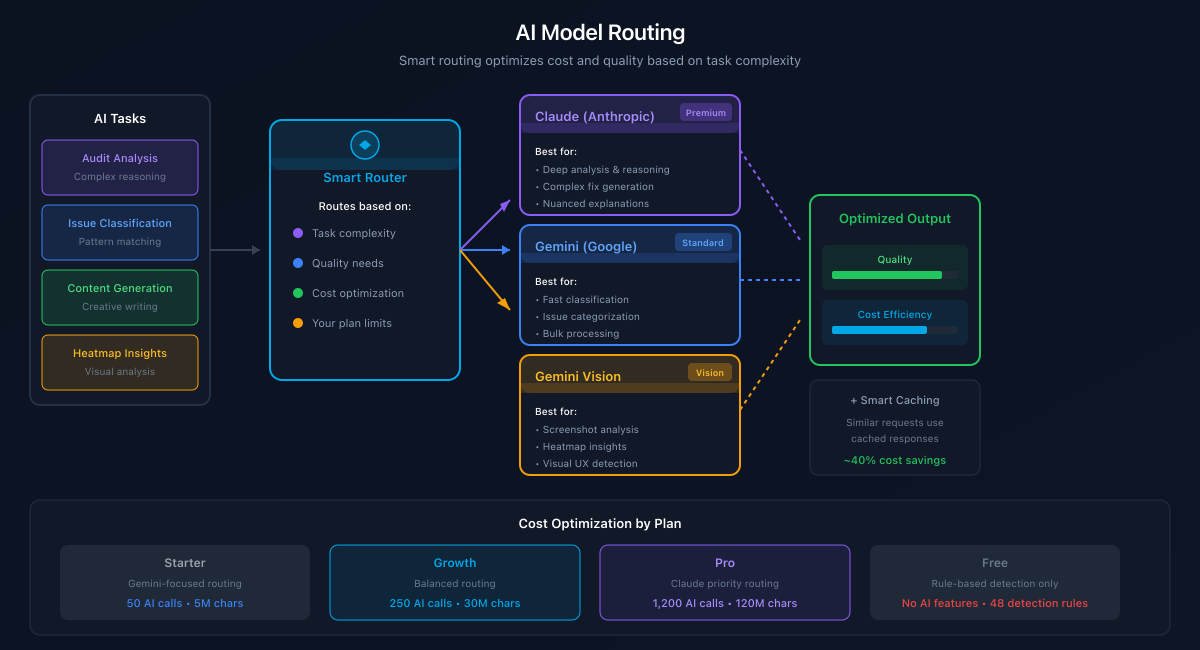
To keep pricing fair, Zolvio routes tasks to different model tiers based on your plan. The exact provider/model identifiers may change over time, but the high-level policy stays consistent:
| Plan | Audits & Fixes | Other AI (insights, surveys, content) | Vision |
|---|---|---|---|
| Free | Lightweight model (cost-protected) | Lightweight model (cost-protected) | Limited / plan-gated |
| Starter | Lightweight model | Lightweight model | Limited / plan-gated |
| Growth | Higher quality model for audits & guided fixes | Lightweight model for short insights | Gemini Flash (vision) |
| Pro | Higher quality model | Higher quality model | Gemini Flash (vision) |
/docs-images/ai/ai-model-routing-1200x650.pngSpend Caps and What Happens When You Hit Them
When you reach an AI cap, Zolvio will block new AI calls for the remainder of the window. You can still use the product — you just won’t get new AI-generated outputs until the cap resets.
- You can keep using recordings, heatmaps, and A/B test reporting based on computed data.
- AI-powered extras (like narratives or clustering) may show a message such as “AI temporarily unavailable due to limits.”
If you see surprising usage
AI Kill Switch (Per Store)
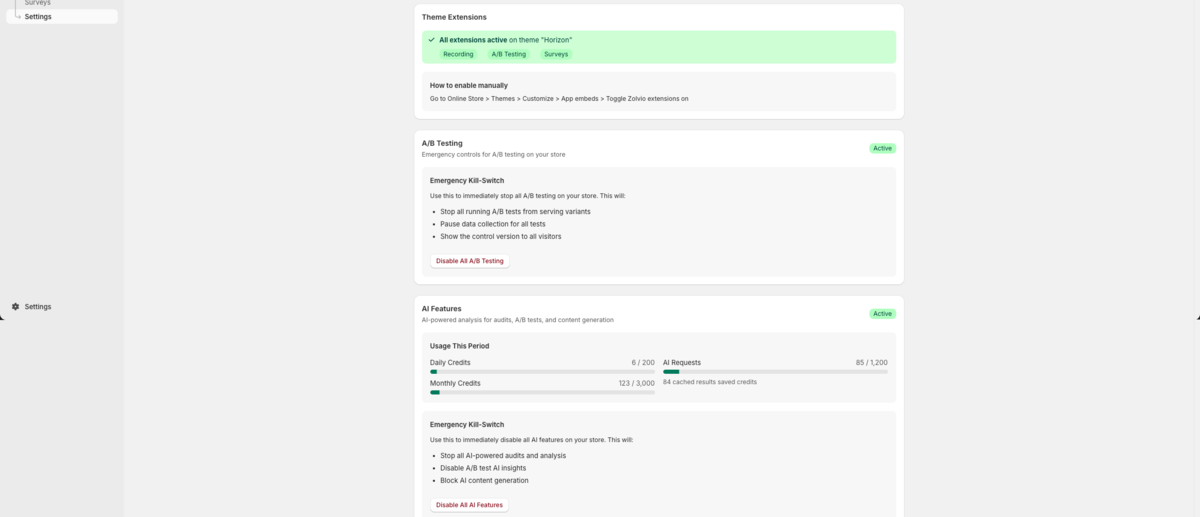
You can disable all AI features for your store at any time. When AI is disabled, Zolvio will not call AI providers. Depending on configuration, cached AI results may still be shown (at no additional cost).
/docs-images/ai/ai-kill-switch-1200x520.pngWhy You’re Seeing “Cached” Results
Some AI tasks are cached to improve reliability and cost efficiency. If you trigger the same request again (same inputs), you may see a cached result instead of a new AI call. This is intentional and helps keep the system stable.
Reliability: Schema-Validated Outputs
Zolvio uses schema-validated AI outputs (built with PydanticAI) for key workflows. That means AI responses must match a strict structure (fields, types, limits). If the output doesn’t validate, Zolvio retries or falls back — instead of showing malformed or “weird” results.
Privacy Notes
- URLs are stored as path-only (no query strings) in analytics and AI pipelines.
- Open-text survey answers are redacted for common PII patterns before analysis.
- AI prompts are minimized and bounded; long HTML is truncated and sanitized.
See Privacy & Compliance for merchant responsibilities and best practices.