Audits
Crawl your storefront, identify conversion issues, and generate a prioritized list of fixes.
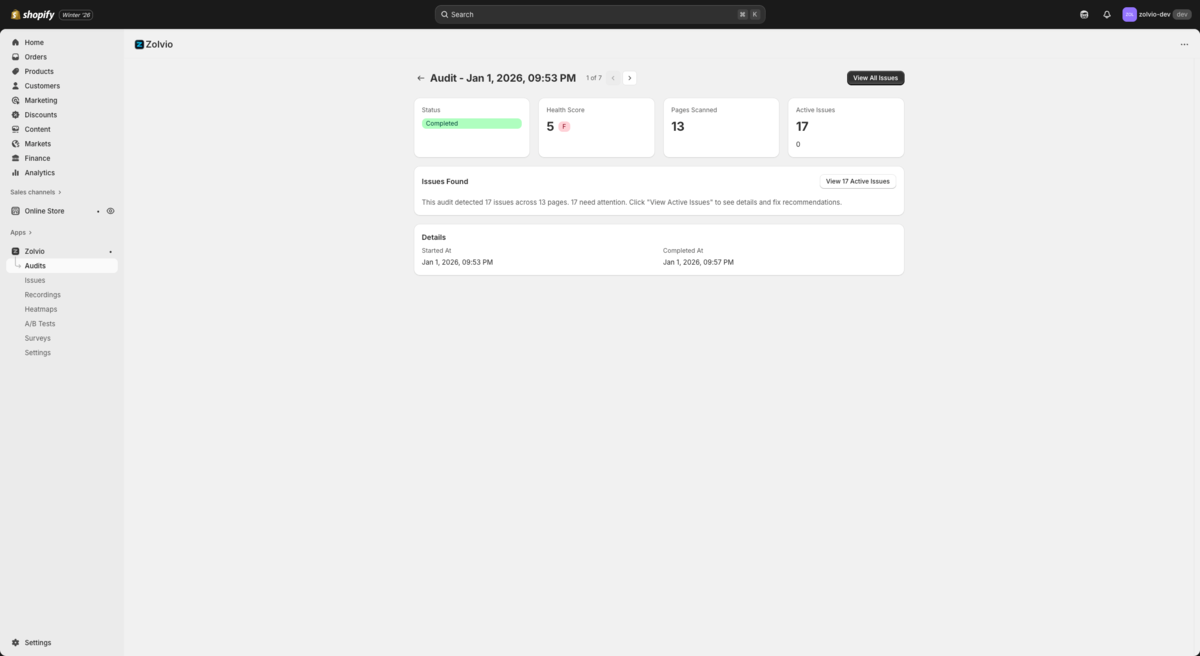
Screenshot placeholder
1200×720px •
/docs-images/audits/audit-summary-1200x720.pngAdd a file at this path to replace the placeholder.
What Zolvio Does During an Audit
- Crawls key store pages (up to your plan’s per-audit page limit)
- Captures page structure and visual context to identify UX and conversion problems
- Detects issues, assigns severity, and computes a Store Health Score
- Creates an Issues list you can filter, triage, fix, ignore, or archive
Want to fix issues?
Audits discover problems. Issues are where you take action. See Issues & Fixes.
What the AI Checks
Zolvio's AI audits scan your store for issues in these categories:
- Trust Signals - Missing reviews, security badges, return policies
- Call-to-Action - Weak or unclear buttons, poor contrast, confusing copy
- Mobile Experience - Touch targets, responsive issues, mobile-specific problems
- Page Speed - Large images, slow-loading elements, render-blocking resources
- Checkout Flow - Friction signals, missing information, abandoned cart triggers
- Navigation - Confusing menus, broken links, poor organization
Running an Audit
- Go to Audits in the sidebar
- Click Run Audit
- Wait for the AI to scan your pages (typically 2-5 minutes)
- Review the detected issues
For a deeper explanation of what happens behind the scenes, see How Audits Work.
Issue Severity
Issues are categorized by severity:
- Critical - Major conversion blockers that need immediate attention
- High - Significant issues that likely impact conversions
- Medium - Moderate issues worth addressing
- Low - Minor improvements for optimization
How Often to Run Audits
We recommend running audits:
- After making significant theme changes
- When launching new products or collections
- At least once per month for ongoing optimization
Audit Limits
- Free: 1 lifetime audit (up to 25 pages)
- Starter: 2 audits/month (up to 25 pages each)
- Growth: 8 audits/month (up to 50 pages each)
- Pro: 30 audits/month (up to 75 pages each)
Audits are quota-protected (audit runs, pages per audit, and AI actions). See Limits & Quotas.
Store Health Score
Your Store Health Score is calculated based on:
- Number and severity of detected issues
- Issue categories affected
- Percentage of pages with problems
Scores range from A (excellent) to F (needs significant work).
Tip
Start with Critical and High severity issues. Use recordings and heatmaps to validate the impact, then ship a fix (or run an A/B test).
Troubleshooting
If an audit fails or gets stuck, see Troubleshooting.