Workflows
Zolvio is designed as a closed loop: detect → prove → fix → measure. This page shows the highest-leverage workflows that combine audits, issues, recordings, heatmaps, A/B tests, and surveys.
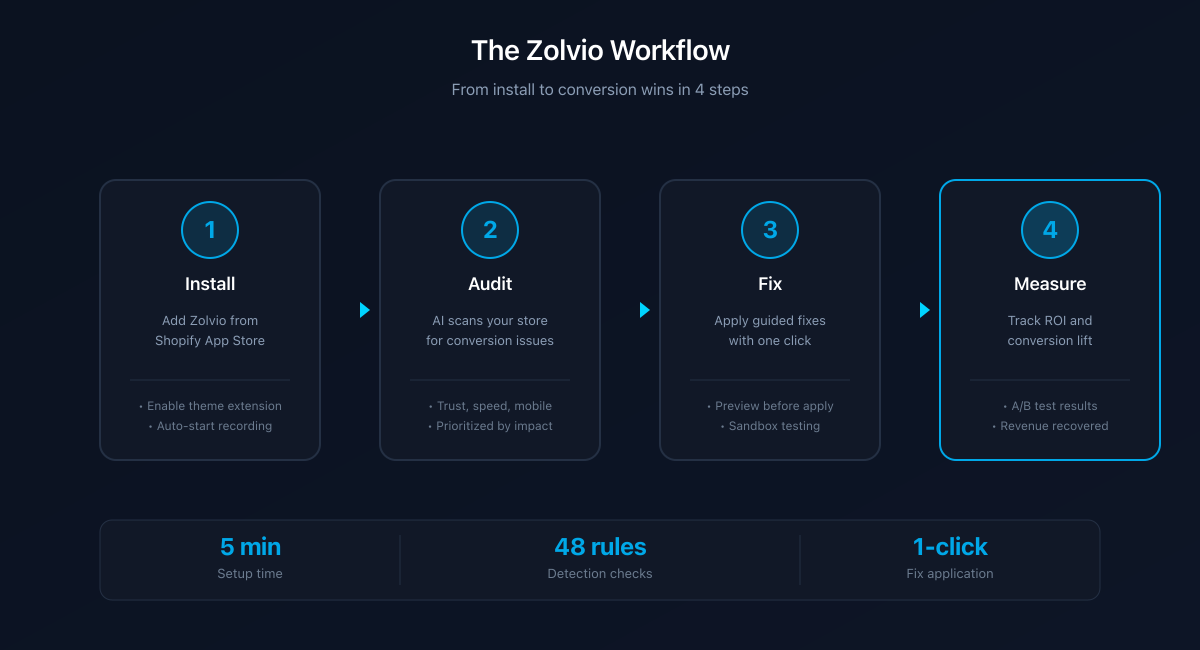
Screenshot placeholder
1200×650px •
/docs-images/workflows/flow-install-to-win-1200x650.pngAdd a file at this path to replace the placeholder.
Workflow 1: Fix the #1 conversion blocker
- Run an audit to detect issues and prioritize by severity.
- Open the top issue in Issues and review the evidence (affected pages, screenshots, and any available metrics).
- Use recordings to confirm the real user friction behind the issue.
- Apply the guided fix steps in Shopify (Theme Editor / Settings / apps).
- Use Verify fix + a follow-up audit to confirm the issue is resolved.
Guided Fixes v1
In v1, Zolvio focuses on guided/manual changes. We don’t auto-edit your live theme. Treat Zolvio as the “what to fix” and “how to fix it” layer — you stay in control of changes.
Workflow 2: Heatmap → Watch examples → Decide
Heatmaps are best when you can jump from an insight to real examples. Use heatmaps to spot patterns and recordings to validate the “why”.
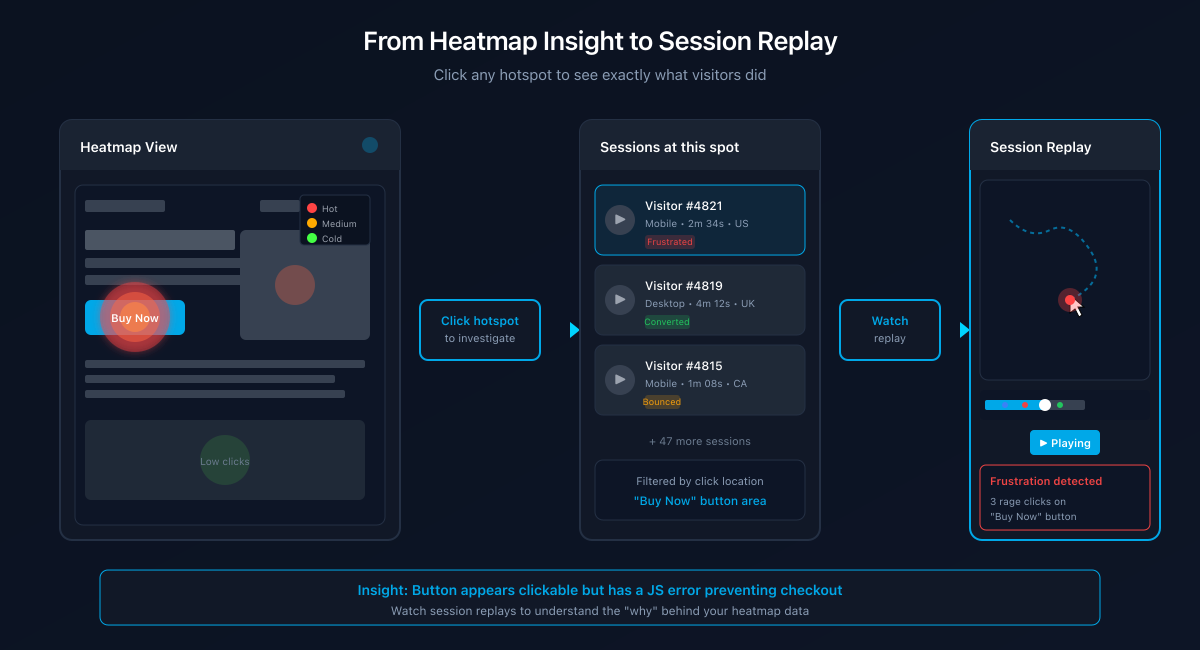
Screenshot placeholder
1200×650px •
/docs-images/workflows/workflow-heatmap-to-replay-1200x650.pngAdd a file at this path to replace the placeholder.
- Open a heatmap for your highest-traffic page.
- Review What to Fix (dead zones, scroll drop-offs) and top click areas.
- Use Watch examples to open recordings filtered to sessions matching that behavior.
- Implement a guided fix (layout, CTA clarity, trust signals), then monitor the change.
Workflow 3: A/B test with trust checks
Zolvio’s A/B testing focuses on trust: SRM checks, delivery health, deduping, and QA preview so you don’t ship broken experiments.
- Create a test with the visual editor and clear goal definition.
- Use QA preview links to confirm variants apply correctly.
- Watch the Data Quality panel (SRM, delivery health) before trusting results.
- Use heatmaps + recordings by variant to explain why a variant won (or why it didn’t).
Workflow 4: Surveys → Themes → Fix
Use micro-surveys to capture the “why” behind drop-offs. Cluster open-text answers into themes, then validate those themes with recordings.
- Launch a survey on a targeted page.
- Cluster open-text answers into themes (plan-dependent AI).
- For negative themes, jump to recordings for sessions linked to those responses.
- Apply guided fixes and re-check theme frequency over time.