A/B: Heatmaps & Recordings
Go beyond “Variant B has +X% lift.” Use heatmaps and recordings by variant to explain why a variant won — and what to ship next.
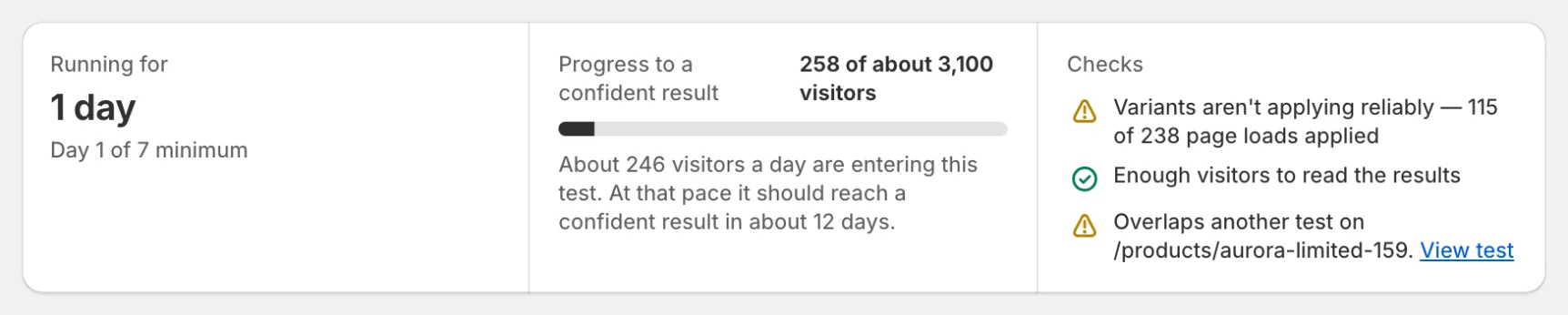
Checks first
Before you believe the result, read the Checks list at the top of the test page:
- Variants are showing correctly: the change is actually applying on the page (“7 of 7 page loads applied”).
- Enough visitors: each version has seen the minimum number of visitors.
- No other test on this page: overlapping tests would muddy the result.
- A Traffic split looks uneven line appears only when the split drifts away from even (SRM). Deduplication details live under Technical details.
Why delivery health matters
A test can “look good” if the variant fails to apply for a large fraction of visitors. Always check delivery health before shipping the winner.
Explain a win with heatmaps
- Open the tested page’s heatmap (the test page’s ⋯ menu has a View heatmaps shortcut).
- Click Compare variants and select Control vs Variant.
- Use the diff overlay to see where clicks increased or decreased.
- Check scroll depth differences (did Variant push key content above the fold?).
Prove the “why” with recordings
Heatmaps show aggregate behavior. Recordings show the story: hesitation, rage clicks, navigation loops, and whether people noticed the change.
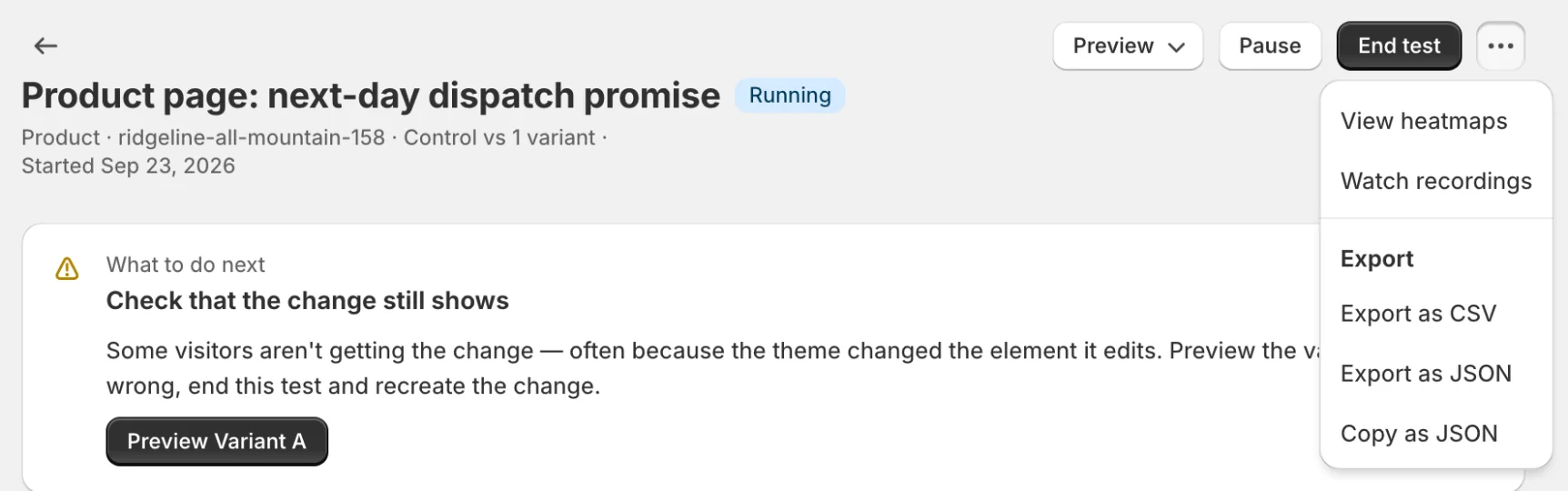
- From the test page’s ⋯ menu choose Watch recordings, or click Watch examples on a heatmap insight.
- The recordings list opens filtered to that test and variant.
- Watch 5–10 sessions per variant to confirm the mechanism of change.
Deciding what to ship
The What to do next card at the top of the test page recommends one action. The reasoning behind it:
- If the variant wins and trust checks are clean: ship it (or run a follow-up test).
- If the variant loses: inspect recordings for confusion, broken selectors, or mobile regression.
- If there’s no winner: adjust hypothesis, increase traffic, or pick a larger-change variant.
Related: Heatmap segmentation and reviewing sessions.