DSAR Guide (Export & Deletion Requests)
How to respond when a visitor requests access to or deletion of their data.
Not legal advice
DSAR obligations and timelines vary by jurisdiction (GDPR, UK GDPR, CCPA/CPRA, etc.). Use this as an operational guide and confirm requirements with counsel.
What to Ask For
- Proof that the requester is the data subject (identity verification)
- Enough information to locate their data (time window, device, order number, etc.)
What Zolvio Can Help With
- Recordings and heatmap data are tied to a random visitor ID, not a name or email, so finding one shopper’s data needs details such as the time, device and pages of their visit
- Shopify forwards customer data and deletion requests to Zolvio, and Zolvio handles them automatically: it finds the data linked to that customer's orders (their A/B test conversions and the visits behind them), deletes it for a deletion request, and emails a copy to the store owner for a data request. Zolvio doesn't store shopper names, emails or phone numbers. Questions: privacy@zolvio.io
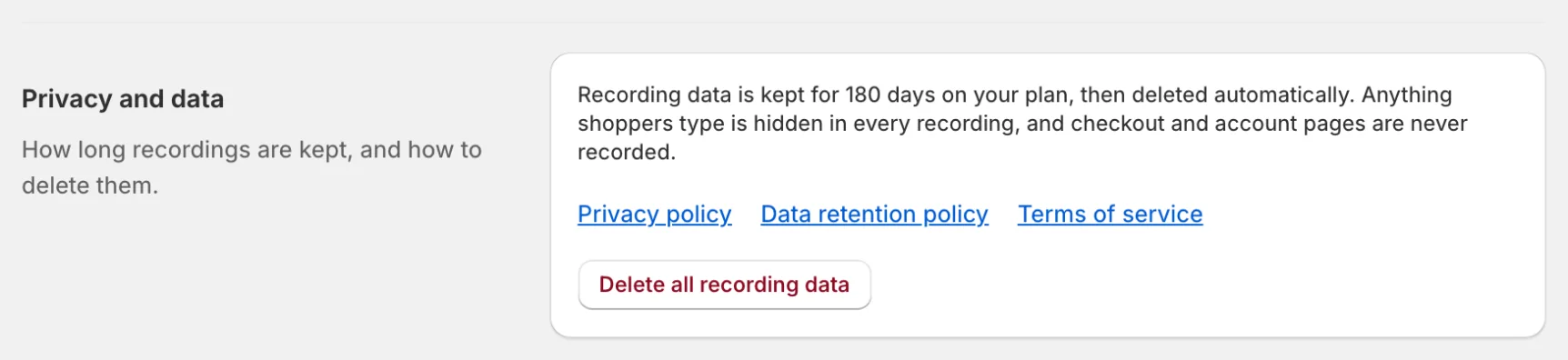
- To delete everything at once, use Delete all recording data under Settings → Privacy and data
Retention Matters
If the requested data is older than your retention period, it may already be deleted. See Data Retention Policy.
Operational Steps
- Log the request and confirm timeline requirements for your jurisdiction
- Verify identity
- Locate data within the retention window
- Export or delete as requested
- Confirm completion to the requester