Session Recordings
Replay real storefront sessions to see what visitors do, where they struggle, and what blocks conversion.
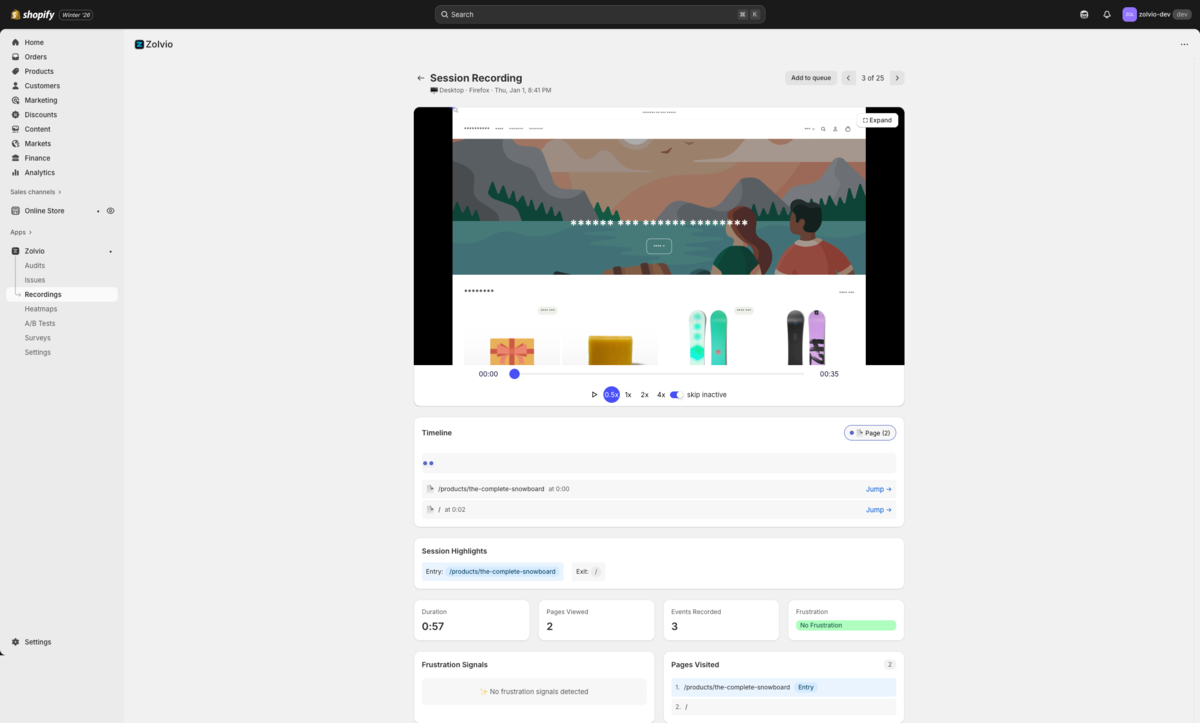
Screenshot placeholder
1200×720px •
/docs-images/recordings/session-player-1200x720.pngAdd a file at this path to replace the placeholder.
What You’ll Use This For
- Debug UX issues (broken buttons, confusing navigation, slow pages)
- Validate hypotheses before you run an A/B test
- Spot friction patterns (rage clicks, repeated back-and-forth navigation)
Quick Start
- Confirm the theme extension is enabled in your theme editor. See Setup.
- Make sure your consent banner is configured and compatible. See Privacy & Consent.
- Wait for traffic, then open Sessions in the app and select a session.
What Gets Recorded
Session recordings capture interaction and page context, including:
- Mouse movements and clicks
- Scroll behavior
- Page navigation
- Form interactions (inputs are masked for privacy)
- Device and browser information
Privacy first
Zolvio is designed to minimize risk: sensitive pages are excluded, inputs are masked, and we apply server-side redaction as a safety net. You still need to configure consent and update your store policies.
Watching Replays
To watch a session recording:
- Go to Sessions in the sidebar
- Browse the list of recorded sessions
- Click on any session to open the player
- Use playback controls to skip, speed up, or slow down
For a practical walkthrough (filters, timeline markers, tags/notes, review queue), see Reviewing sessions.
Filtering Sessions
Filter sessions by:
- Device type - Desktop, mobile, or tablet
- Browser - Chrome, Safari, Firefox, etc.
- Country - Visitor location
- Date range - Sessions from specific time periods
Sampling, Limits, and Retention
Recording volume is controlled by plan limits (monthly quotas), sampling, and retention. See Sampling & Retention.
Frustration Detection
Zolvio analyzes session events to identify frustration patterns and summarizes them in a simple score.
- Frustration score (0–100) for quick triage
- Rage clicks (rapid repeated clicking in the same area)
- Dead clicks (clicks on non-interactive elements)
- Mouse thrashing (rapid back-and-forth cursor movement)
- Error clicks (clicks followed by JavaScript errors)
- Form abandonment (partial input then leave)
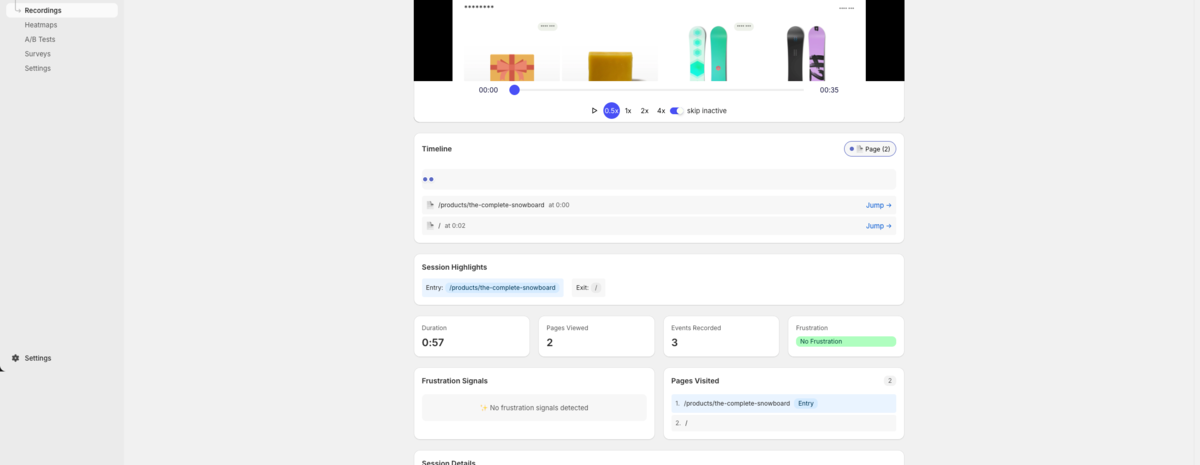
Screenshot placeholder
1200×650px •
/docs-images/recordings/frustration-signals-1200x650.pngAdd a file at this path to replace the placeholder.
Troubleshooting
If you don't see sessions, first check the theme extension status and consent configuration. See Troubleshooting.