Session Recordings: Privacy & Consent
What recordings capture, what stays hidden, and how consent affects recording.
Consent
- Recordings and surveys respect your store’s cookie consent: when a shopper hasn’t allowed analytics, nothing is recorded and no survey is shown
- If a shopper withdraws consent during a visit, recording stops and anything not yet sent is deleted from their browser
- A/B test assignment runs for every visitor so each one sees a consistent version; it uses a random ID and a 30-day cookie and never records the session
What Recordings Hide
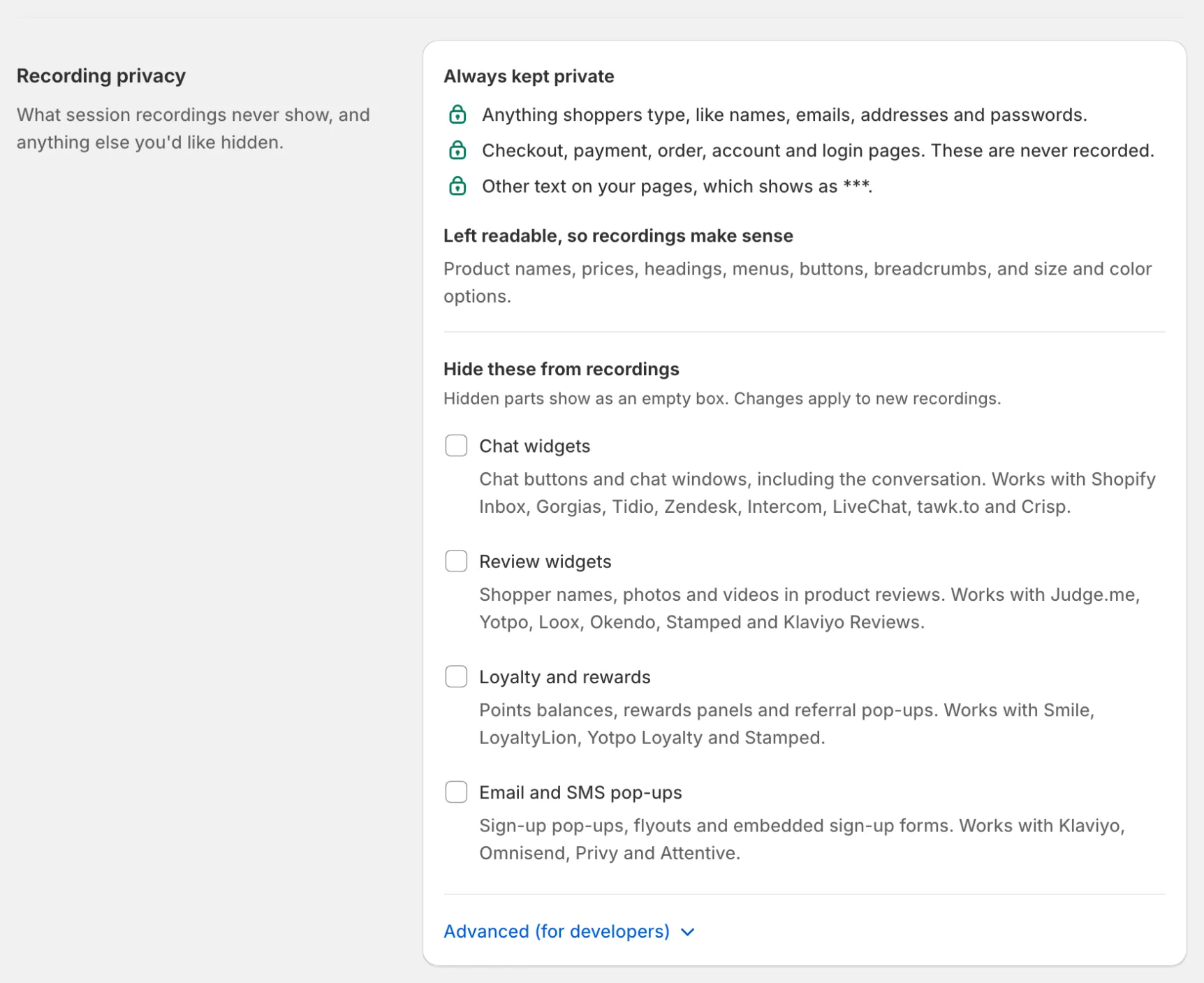
- Everything shoppers type is hidden, and other page text shows as ***
- Product names, prices, headings, menus, buttons, breadcrumbs and size/colour options stay readable so recordings make sense
- Checkout, account, order and login pages are never recorded
Hide More in Settings
Under Settings → Recording privacy:
- Hide these from recordings has presets for common apps: Chat widgets, Review widgets, Loyalty and rewards, and Email and SMS pop-ups. Hidden parts show as an empty box, and changes apply to new recordings.
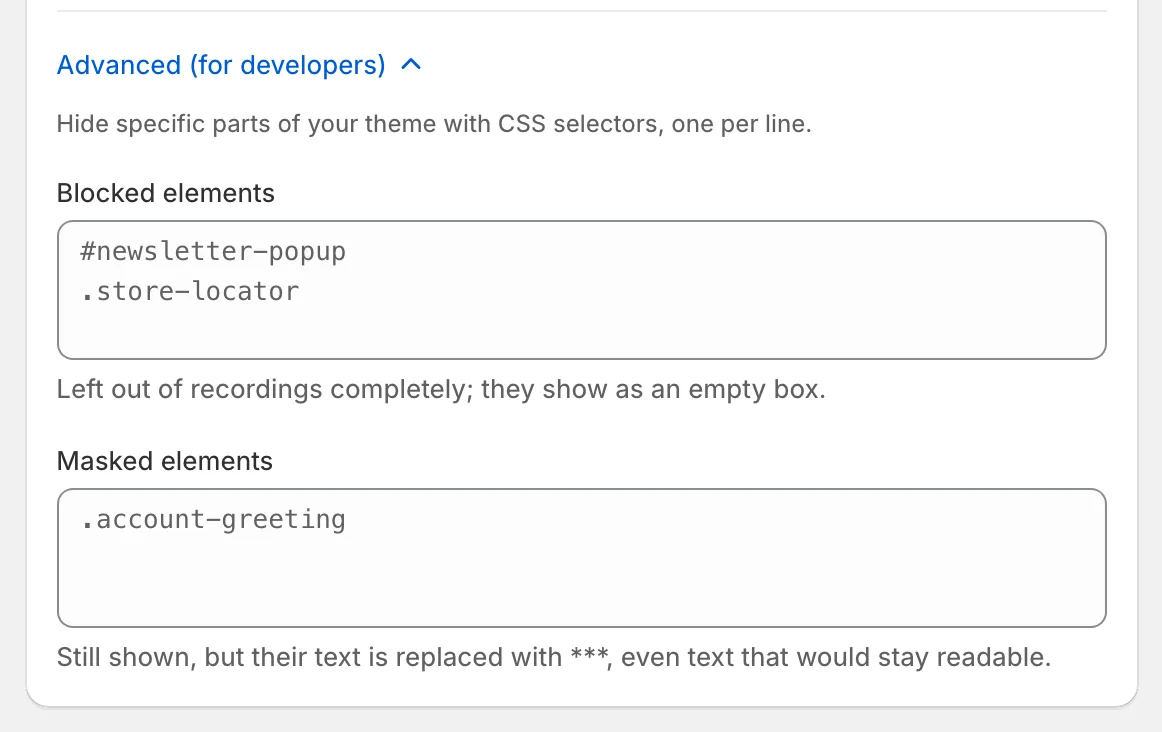
- Advanced (for developers) takes CSS selectors, one per line: Blocked elements are left out of recordings completely (they show as an empty box), and Masked elements are still shown with their text replaced by ***, even text that would otherwise stay readable.
Don’t Record You or Your Team
Under Settings → Recording privacy, click Open my store without recording once in each browser you use: that browser is never recorded again, and its visits don’t count toward your plan. Record this browser again undoes it. To cover a whole office or home network, list its IP addresses under Never record these addresses, one per line (a range like 198.51.100.0/24 works too, up to 50 entries). Visits from them are never recorded.
Important: compliance is shared
Marking Sensitive Areas (Developer Option)
If you have custom sensitive content on non-standard pages, your theme developer can mark elements directly. Zolvio never captures elements carrying the data-no-record, data-pii or data-sensitive attribute, and masks the text of anything with the zolvio-mask class. The same rules can be added without touching the theme under Settings → Recording privacy → Advanced (for developers).
If you need help making theme-safe exclusions, contact your developer or reach out to Zolvio support.
What You Should Add to Your Store Policies
Your privacy policy should disclose session recording/analytics. For a practical checklist and suggested wording starting points, see Merchant Checklist.
Retention and Deletion
Retention depends on your plan and is enforced automatically. See Sampling & Retention and the Data Retention Policy.