A/B Testing: Anti-Flicker
Reduce “flash of original content” while a variant applies.
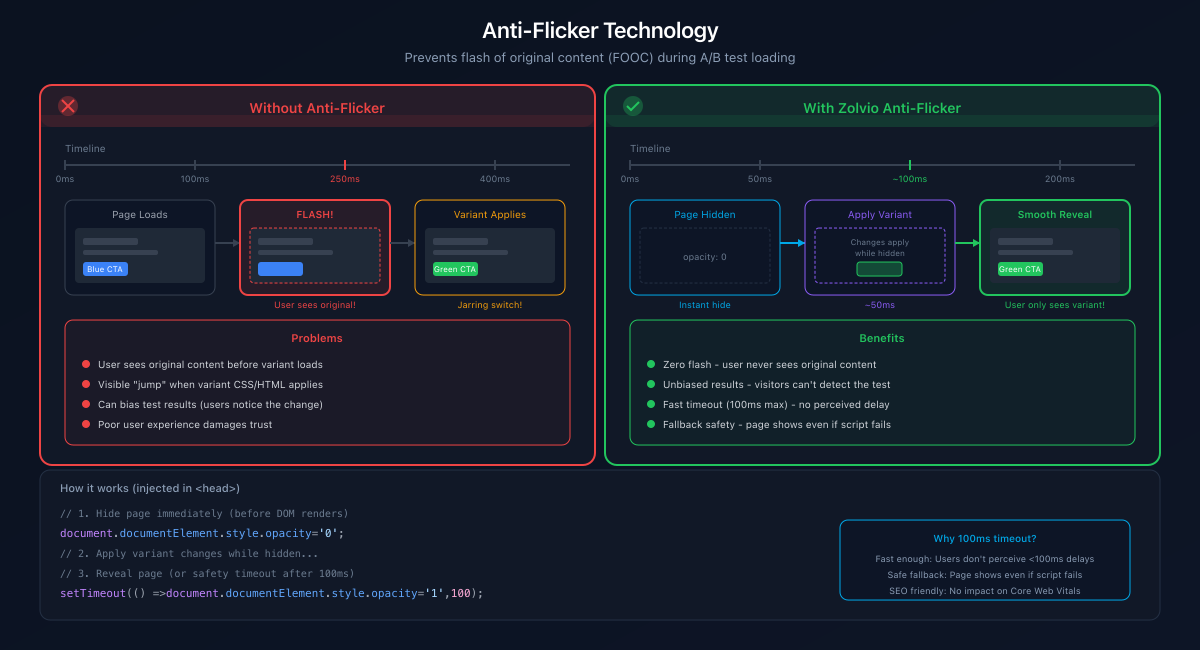
Screenshot placeholder
1200×650px •
/docs-images/ab-testing/anti-flicker-1200x650.pngAdd a file at this path to replace the placeholder.
What Anti-Flicker Does
- Temporarily hides only the tested elements when possible
- Reveals the page once the variant is applied (or after a timeout)
- Prevents infinite hiding with a fail-safe timeout
Tradeoffs
- Too short timeout → visitors may see the original content briefly
- Too long timeout → the page may feel slower if the variant fails to apply
If your page becomes invisible
Anti-flicker must always reveal. If you see a page stuck hidden, stop the test and review the QA checklist.