Heatmaps: Screenshots
Heatmaps can be overlaid on a captured screenshot of your page to make interpretation easier.
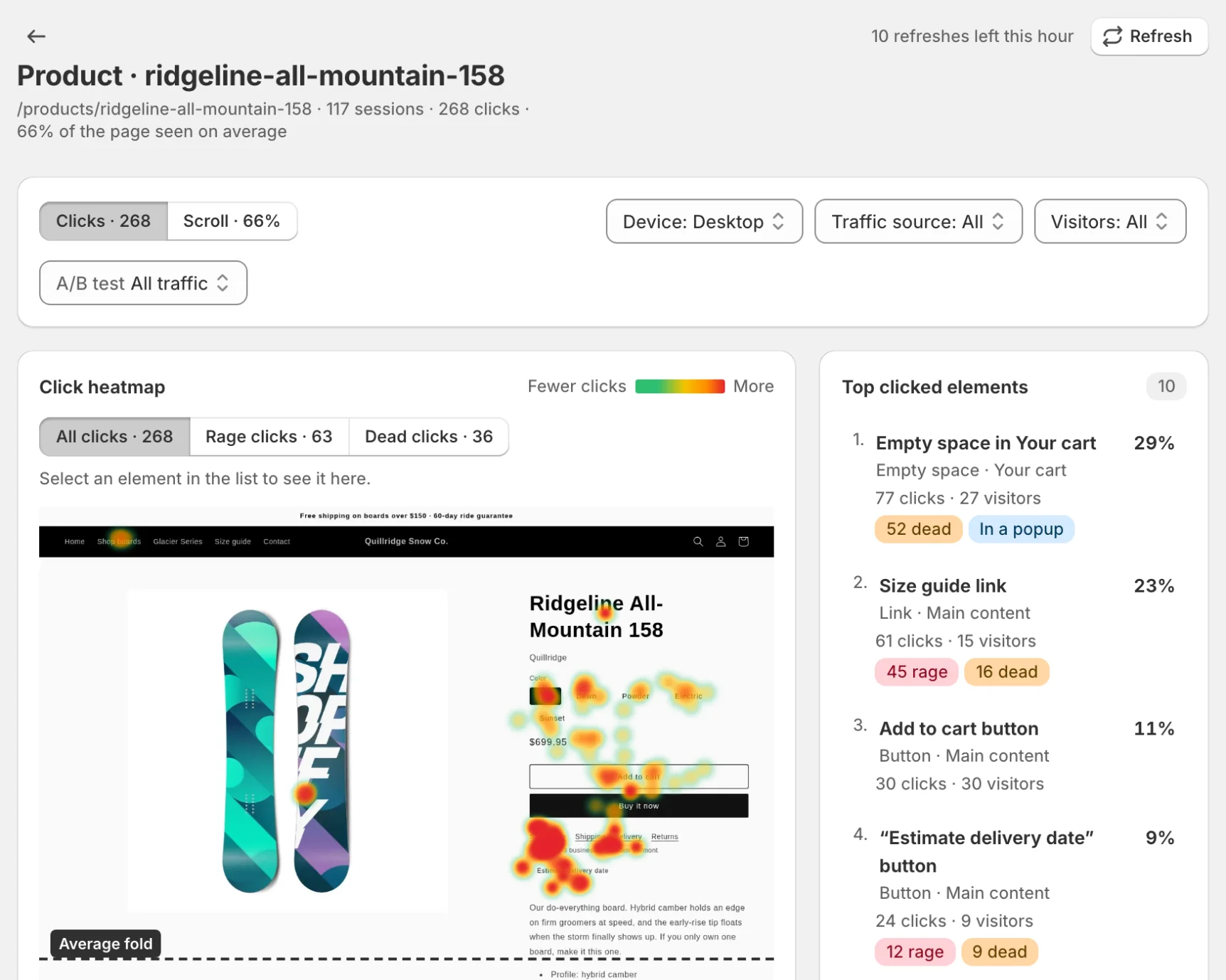
What a Screenshot Is (and Isn’t)
- A screenshot is a visual capture of your page used as a background for the heatmap
- It’s not a recording replay; it doesn’t include visitor-specific content
- Popups, cookie banners and chat widgets are hidden before capture, so clicks on the page aren’t drawn over a popup shoppers had closed; your sticky header and sticky add-to-cart bar stay
- Screenshots can become stale after theme changes
Refreshing a Screenshot
If the overlay doesn’t align (layout changed, new theme, dynamic content), click Refresh in the heatmap header. Refreshes are limited to 10 per hour; the header shows how many you have left.
Password-protected store?
Screenshot capture has to load your page, so on a password-protected store save your storefront password under Settings → Storefront password first (see Password-Protected Stores). If capture still fails—for example because the store blocks automated browsers—you can still view aggregated heatmap data without the overlay.